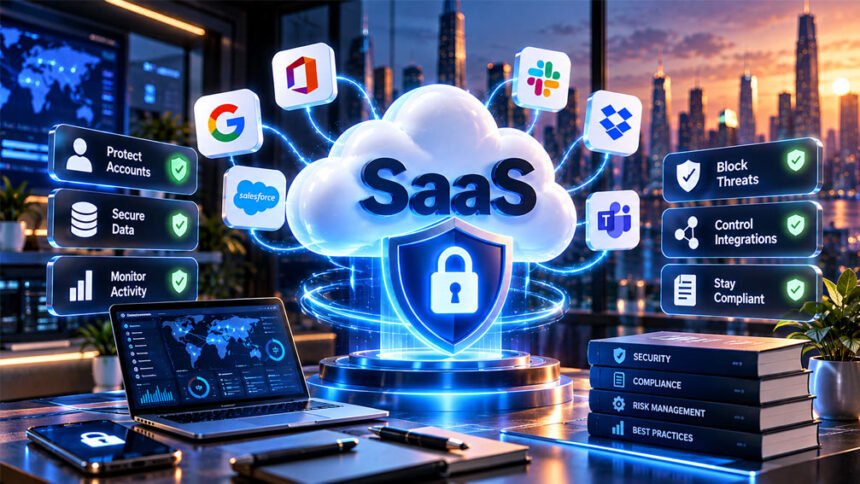
SaaS security means protecting cloud-based software, user accounts, business data, and connected services. It is important because many companies now use SaaS tools for email, file storage, communication, customer management, finance, and other daily work.
SaaS applications can face risks such as stolen accounts, data leaks, weak security settings, unsafe APIs, shadow SaaS, and third-party attacks.
This guide explains what SaaS security is, how it works, its main risks, useful security tools, and the best ways to protect SaaS applications in 2026.
What Is SaaS Security?
SaaS security is the process of protecting Software-as-a-Service applications. It covers user accounts, company data, security settings, APIs, and connections with other services.
SaaS applications are usually accessed through the internet. Examples include Microsoft 365, Google Workspace, Salesforce, and Slack.
Companies may store customer details, emails, documents, financial records, messages, and other sensitive information in these services.
SaaS security focuses on three important goals: confidentiality, integrity, and availability.
Confidentiality means only approved people can access information. Integrity means information stays correct and cannot be changed without permission. Availability means users can access the service and their data when needed.
SaaS security and cloud security are related, but they are not the same. Cloud security covers the wider cloud environment, including infrastructure, networks, databases, platforms, and services. SaaS security focuses mainly on SaaS applications, users, data, settings, and integrations.
Both the SaaS provider and the customer have security responsibilities. Even if a provider has strong security, customers can still create risks by using weak passwords, giving too much access, or using unsafe sharing settings.
How SaaS Security Works
SaaS security uses several layers of protection.
The first layer is the cloud infrastructure. This includes data centers, servers, networks, and other systems that support the SaaS application. The provider usually manages most of this security.
Application security protects the software itself. Secure coding, input checks, security testing, and regular updates can help prevent attackers from using software weaknesses.
Identity and access security controls who can sign in and what they can do. Common controls include multi-factor authentication (MFA), single sign-on (SSO), role-based access control (RBAC), and least privilege.
Data security protects information while it is stored and transferred. Encryption, backups, sharing controls, retention rules, and secure deletion are important parts of data protection.
APIs and integrations also need protection. SaaS applications often connect with other services. Strong authentication, limited permissions, encryption, and monitoring can make these connections safer.
Organizations may also use a Zero Trust approach. This means users and devices are not automatically trusted. Their identity, device, location, and other risk signals may be checked before access is allowed.
Continuous monitoring helps connect all these security layers. It allows security teams to watch logins, data access, settings, and other activity for possible problems.
The SaaS Shared Responsibility Model
SaaS security is a shared responsibility between the provider and the customer.
The SaaS provider usually protects the main service and its infrastructure. This may include servers, networks, data centers, the core application, provider-controlled updates, and service availability.
The customer usually manages how the service is used. This includes user accounts, permissions, passwords, authentication, sharing settings, company data, integrations, and customer-controlled security settings.
For example, a SaaS provider may offer MFA. However, if a company does not enable it, its accounts may remain easier to attack.
The exact responsibilities can be different for each SaaS service. Companies should read the provider’s security information, contract, backup policy, and data-handling terms.
Patching is also different with SaaS. Customers normally cannot directly update the SaaS application’s core software because the provider manages it.
However, customers still need to update devices, connected systems, libraries, and other software they control.
Major SaaS Security Risks in 2026
SaaS applications face many security risks. Some come from attackers, while others come from poor settings, user mistakes, or unsafe third-party services.
Data Breaches and Data Exposure
A data breach happens when an unauthorized person gets access to protected information.
Data can also become exposed by mistake. For example, a file may be shared publicly when it should only be available to employees.
Weak access controls, unsafe sharing links, poor encryption, and insecure integrations can increase this risk.
A breach may expose customer information, employee details, financial records, business documents, or private communications.
Stolen Credentials and Account Takeovers
Attackers often try to steal usernames and passwords instead of attacking the whole SaaS platform.
Login details can be stolen through phishing, malware, password reuse, credential stuffing, and password guessing.
MFA adds another security step. This can make it harder for an attacker to enter an account even when the password has been stolen.
Centralized identity systems and SSO can also help companies manage login security across several applications.
Security Misconfigurations
A misconfiguration happens when a SaaS application has unsafe or incorrect settings.
Examples include public file sharing, disabled security logs, weak login settings, too many administrator accounts, and excessive third-party permissions.
Settings can also change over time. Companies should therefore review important security settings regularly instead of checking them only when the application is first set up.
Shadow SaaS and SaaS Sprawl
Shadow SaaS means employees are using SaaS applications without approval or knowledge from the IT or security team.
For example, an employee may upload company documents to an online tool that has never been checked by the company.
SaaS sprawl happens when a company starts using too many SaaS applications, accounts, subscriptions, and integrations. This makes them harder to manage and secure.
Discovery tools can help companies find unknown SaaS applications and decide whether to approve or remove them.
Shadow AI is a similar issue. It happens when employees use unapproved AI tools and may share business information with them.
API and Integration Risks
APIs allow SaaS applications to communicate with other software.
Poorly protected APIs can allow attackers to access or change information.
APIs should use strong authentication and authorization. They should also use input checks, rate limits, encryption, and secure tokens.
OAuth connections should also be reviewed. A connected app may have permission to read files, access accounts, or perform other actions.
Unused connections should be removed.
Third-Party and Supply-Chain Attacks
SaaS applications often depend on other companies and services.
If one of these third parties is attacked, the problem may also affect its customers.
Companies should know which outside services have access to their systems or information.
Important vendors should be checked before they are approved. Their security practices, permissions, incident plans, and compliance information may need to be reviewed.
Unused vendor access should be removed.
Insider Threats and Dormant Accounts
Not every security problem comes from an outside attacker.
Employees can cause security problems by mistake or intentionally misuse their access.
Giving people more permissions than they need increases the risk.
Old accounts are another problem. Accounts belonging to former employees, contractors, or old administrators may stay active even when they are no longer needed.
Companies should regularly review accounts and quickly remove access when someone leaves.
Application Vulnerabilities
SaaS software itself can contain security weaknesses.
Cross-site scripting (XSS), for example, can allow unsafe scripts to run in a user’s browser.
Weak authentication and authorization can also let users perform actions they should not be able to perform.
SaaS developers should use secure coding, code reviews, dependency scanning, vulnerability testing, and careful software updates to reduce these risks.
Multi-Tenancy and Tenant Isolation
Many SaaS applications use a multi-tenant system. This means several customers use the same application or share some of the same infrastructure.
However, each customer’s information must remain separate.
For example, Company A should never be able to see Company B’s private information just because both companies use the same SaaS service.
This separation is called tenant isolation.
Some SaaS systems use separate databases for different customers. Others use shared databases with strong access rules and tenant checks.
The application should always check whether a user has permission to access the requested tenant’s information.
Developers can also run tests that try to access another customer’s data. These tests can help find security problems before the software is released.
Poor tenant isolation can cause serious data leaks between customers.
Identity and Access Management (IAM)
Identity and Access Management, or IAM, controls who can enter a SaaS system and what they are allowed to do.
MFA is an important IAM control. It requires another form of verification in addition to a password.
Single sign-on allows users to access supported applications through one main identity system. Business SaaS services may support standards such as SAML and OpenID Connect (OIDC).
Role-based access control gives users permissions based on their jobs.
A person should only have access to the information and tools needed for their work. This is called the principle of least privilege.
Administrator accounts need extra protection because they can change important settings and manage other users.
Some companies also use conditional access. This can check things such as the user’s device, location, or sign-in risk before allowing access.
Permissions should be reviewed regularly. When employees change jobs or leave the company, their access should be changed or removed quickly.
Protecting Data in SaaS Applications
SaaS applications can store many types of sensitive information. This may include customer records, financial details, employee information, documents, and messages.
Encryption helps protect this data.
Encryption in transit protects information while it moves between users and systems. TLS is commonly used for this.
Encryption at rest protects stored information, such as databases, files, and backups.
Encryption keys also need strong protection. Access to these keys should be limited.
Data Loss Prevention, or DLP, can help find sensitive information and control how it is shared or moved.
Companies should also control downloads, public links, external sharing, and other ways data can leave a SaaS application.
Old information should be deleted when it is no longer needed, unless there is a legal or business reason to keep it.
Backups should also be protected and regularly tested.
SaaS Security Posture Management (SSPM)
SaaS Security Posture Management (SSPM) helps companies find security problems in their SaaS applications.
It can continuously check settings, permissions, authentication controls, and sharing rules.
SSPM tools may find problems such as missing MFA, excessive permissions, unsafe sharing settings, and weak security configurations.
They can also give security teams one place to view security issues across several SaaS applications.
When a problem is found, the SSPM tool may send an alert or suggest a fix. Some tools can automatically fix certain problems.
SSPM does not replace other security controls. It mainly helps companies keep SaaS settings secure over time.
SaaS Security Tools
Companies can use different tools to protect their SaaS environments. Each type of tool has a different purpose.
SSPM
SSPM checks security settings inside SaaS applications.
It can find risky permissions, weak authentication settings, unsafe sharing, and other configuration problems.
CASB
A Cloud Access Security Broker (CASB) helps control how users access cloud services.
It can provide visibility into cloud use, apply access rules, protect data, and detect some security threats.
SSPM vs. CASB
SSPM mainly looks at security settings inside SaaS applications.
CASB focuses more on how users access cloud services and how data moves between them.
A company may use both because they solve different security problems.
SaaS Discovery Tools
SaaS discovery tools find applications that employees are using.
They can help identify shadow SaaS, unknown accounts, and OAuth connections.
The company can then decide whether these applications should be approved, restricted, or removed.
Other Important Security Tools
IAM and SSO tools manage identities and logins.
DLP tools help protect sensitive information.
SIEM systems collect and study security logs.
SOAR tools can automate some security responses.
API security tools protect connections between applications.
Vulnerability management tools find security weaknesses.
Secrets management tools protect passwords, API keys, tokens, and other sensitive credentials.
Companies should choose tools based on their real security needs rather than simply using as many products as possible.
Monitoring and Incident Response
Companies need to monitor SaaS activity so they can find possible security problems early.
Important events include failed logins, unusual successful logins, administrator actions, permission changes, large downloads, data exports, and changes to security settings.
An unusual login does not always mean an attack. However, it may be important when combined with other suspicious activity.
SIEM systems can collect security events from different applications and show them in one place.
Companies also need an incident-response plan.
The plan should explain who investigates security problems, who contains the attack, who communicates with affected people, and how systems and data will be recovered.
The plan should be tested before a real incident happens.
Backup, Disaster Recovery, and Business Continuity
Backups help companies recover information that has been deleted, damaged, encrypted, or lost.
Important data should be backed up based on business needs. Backups should also be protected from unauthorized access.
Companies should test their backups regularly. A backup is only useful if the information can actually be restored.
Disaster recovery explains how technology will be restored after a serious failure or attack.
Business continuity focuses on keeping important business work running while systems are unavailable or being recovered.
Companies should also understand what backup and recovery options their SaaS provider actually offers.
SaaS Security for AI Features
Many SaaS applications now include AI features. These features can create new security risks.
One risk is prompt injection. This happens when harmful instructions are given to an AI system through prompts, documents, websites, or other content.
AI systems should also be prevented from showing private information to users who do not have permission to see it.
Tenant isolation is important for AI as well. One customer’s AI request should not return another customer’s private information.
AI agents need extra care when they can send messages, change records, use business tools, or make payments.
Companies should limit what AI systems can access and what actions they can perform.
They should also review how outside AI providers store and use submitted data.
Shadow AI should also be controlled. Employees should avoid entering private company information into AI services that have not been approved.
SaaS Security Compliance
SaaS companies may need to follow different security and privacy rules.
The exact requirements depend on the company’s location, industry, customers, and type of data.
The GDPR covers personal data in relevant European situations. HIPAA applies to certain health information in the United States. PCI DSS may apply when payment card information is involved.
SOC 2 and ISO/IEC 27001 are also common in SaaS security, especially when companies sell services to business customers.
These are not all the same type of requirement. Laws, standards, audits, and certifications have different purposes.
Companies may also need to think about where data is stored and whether it is transferred between countries.
India has its own cybersecurity and data-protection requirements, including CERT-In requirements and the Digital Personal Data Protection framework.
Legal rules can change. Companies should always check current official requirements when compliance decisions are important.
Being compliant also does not mean a company is completely secure. Security still requires regular monitoring and risk management.
Microsoft 365 Security as a SaaS Example
Microsoft 365 is a useful example of SaaS security because companies may use it for email, documents, file sharing, and communication.
MFA can help protect user and administrator accounts.
Conditional Access can apply extra rules based on different security signals and company policies.
Teams, SharePoint, and OneDrive sharing settings should also be checked regularly so files are not shared more widely than intended.
Phishing is another important risk because attackers may try to steal Microsoft 365 login details.
Microsoft also offers security products under the Microsoft Defender family. Available features depend on the products and licenses a company uses.
The same idea applies to other important SaaS services. If a platform stores important business information, it should be treated as an important business system.
SaaS Security Best Practices for 2026
Useful SaaS security practices include:
- Enable MFA, especially for administrators.
- Use SSO when appropriate.
- Give users only the access they need.
- Review permissions regularly.
- Remove old and unused accounts.
- Encrypt sensitive data.
- Protect passwords, API keys, and tokens.
- Secure APIs and integrations.
- Keep a list of SaaS applications the company uses.
- Find and control shadow SaaS and shadow AI.
- Review important security settings regularly.
- Check third-party vendors before giving them access.
- Monitor important security logs.
- Create clear data retention and deletion rules.
- Protect backups and test them.
- Train employees about phishing.
- Test applications for security weaknesses.
- Automate useful security checks where possible.
- Test the incident-response plan.
The right security controls depend on the company. A small business may need a simpler setup than a large bank or healthcare organization.
SaaS Security Checklist
| Area | What to Check |
|---|---|
| Authentication | MFA, SSO, secure login |
| Authorization | RBAC, least privilege, tenant checks |
| APIs | Authentication, authorization, validation, rate limits |
| Data | TLS, encryption, DLP, safe sharing |
| Secrets | Secure storage and limited access |
| Development | Code reviews, security testing, dependency scanning |
| Vendors | Security reviews and limited permissions |
| Monitoring | Logs, alerts, and unusual activity |
| Incident response | Written and tested response plan |
| Backups | Protected and tested backups |
| Employees | Phishing training and quick offboarding |
| Integrations | Review OAuth and SaaS connections |
| Compliance | Check relevant laws, standards, and contracts |
This checklist provides a starting point. Every company should adjust it based on its own data, risks, and business needs.
How Often Should You Review SaaS Security?
SaaS security should be checked regularly because users, applications, settings, and threats can change.
Development teams can include security testing with every software release. This may include code reviews, dependency scanning, and tenant-isolation tests.
Important alerts and administrator activity may need frequent checks.
Permissions, integrations, configurations, and software dependencies should also be reviewed regularly.
Companies should test backups and incident-response plans from time to time.
Penetration testing and larger security reviews may be done yearly or when major changes happen.
There is no single schedule that works for every company. The review frequency should depend on risk, business needs, customer requirements, and applicable rules.
Benefits of Strong SaaS Security
Strong SaaS security helps protect sensitive business information.
It can give security teams better visibility into applications, users, permissions, and security settings.
Good monitoring can help find attacks earlier.
Automation can also reduce manual work by checking settings, accounts, and security events automatically.
Backups and recovery planning can reduce downtime after a problem.
Strong security may also help companies meet compliance requirements and customer security expectations.
It can reduce the chance and impact of expensive security incidents, although no system can guarantee complete protection.
Common SaaS Security Mistakes
One common mistake is using only passwords without MFA.
Another is assuming the SaaS provider handles all security. Customers still need to protect their accounts, data, permissions, settings, and integrations.
Giving users too much access is also risky. People should only have the permissions they need.
Companies may also forget to review default settings or remove old accounts.
Unused integrations can stay connected for years if nobody reviews them.
Shadow SaaS creates another problem because security teams cannot protect services they do not know employees are using.
Companies should also avoid thinking that compliance automatically means strong security.
Security logs need to be reviewed, not simply collected.
Backups should also be tested. Having a backup does not help if it cannot be restored.
Finally, SaaS security should not focus only on software patches. Identity, permissions, configurations, APIs, monitoring, and third-party services are also important.
Bottom Line
SaaS security protects cloud applications, user accounts, business data, settings, APIs, and integrations.
No single security tool can protect everything. Companies need several controls, including strong identity management, encryption, secure settings, monitoring, backups, vendor checks, and incident planning.
SaaS security is also an ongoing process. Accounts, applications, integrations, and threats keep changing. Regular reviews help companies find and fix new risks.
Frequently Asked Questions
What is SaaS security?
SaaS security protects cloud apps, accounts, and data from hackers, leaks, and other online threats.
Why is SaaS security important?
It helps keep important business and customer data safe from theft, leaks, and unwanted access.
Who is responsible for SaaS security?
Both the SaaS provider and customer are responsible. The provider protects the service, while the customer manages users, data, and settings.
What are the biggest SaaS security risks?
Common risks include stolen passwords, data leaks, weak settings, unsafe APIs, and third-party attacks.
What is SSPM?
SSPM is a security tool that checks SaaS apps for unsafe settings, weak permissions, and other security problems.
What is the difference between SSPM and CASB?
SSPM checks security settings inside SaaS apps. CASB helps control cloud access and protect data moving between services.
How can a company improve SaaS security?
Companies can use MFA, encryption, strong access controls, secure settings, backups, and regular security checks.
Is SaaS more secure than on-premises software?
Not always. Both can be secure if they have strong settings, access controls, updates, and regular monitoring.
More To Explore:
IDE for Beginners: Features, Types, Uses, and How to Choose One