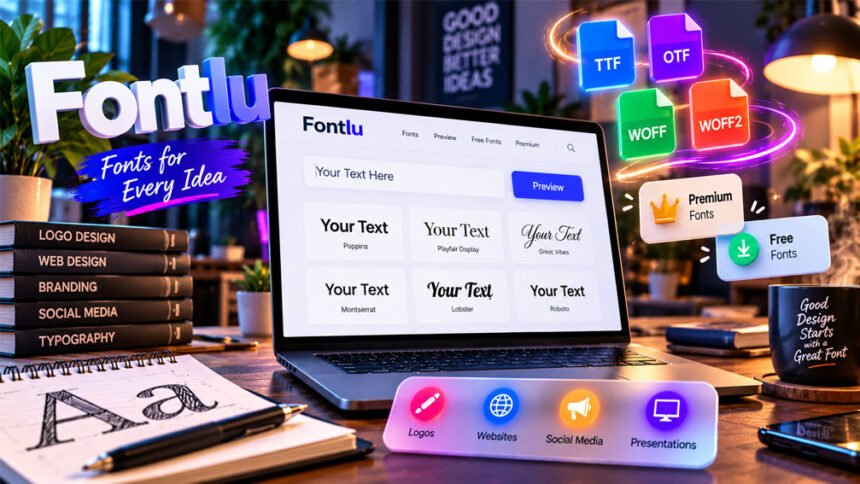
Fontlu is an online font website. It helps users explore fonts and see how their own text looks in different styles.
People may use Fontlu when choosing fonts for logos, websites, social media posts, presentations, and brand designs. The site has a simple tool for testing text before choosing a font.
This Fontlu review explains what Fontlu is, how it works, its font options, file formats, licensing, and safety. We will also look at its limits and some popular alternatives.
What Is Fontlu?
Fontlu is a website for exploring fonts. It lets users test their own text in different font styles before choosing one.
For example, you can enter a business name, title, or short phrase. You can then see how it looks in a selected font. This can make it easier to decide if the font fits your project.
Fontlu may be useful for logos, websites, presentations, social media graphics, and branding. Designers, bloggers, developers, students, marketers, and business owners may also find it helpful.
There is some confusion about the name Fontlu. A few websites describe Fontlu as a new typography trend or design idea. However, there is not enough reliable information to confirm this. No clear designer, company, typeface, or design group has been found behind such a trend.
For this reason, this article focuses on Fontlu as a font website and online tool.
How Does Fontlu Work?
Fontlu works in a web browser. You do not need to open a large design program just to test basic font styles.
The process is simple. Enter your text, choose an available font, select the text size, and look at the result. You can then try another font and compare the two. There is also an option to copy the text.
It is better to test the words you actually plan to use. For example, if you are making a logo, enter the real business name instead of using sample text.
You should also try different text sizes. Some fonts look good in large titles but become difficult to read when they are smaller.
Fontlu can help you answer a simple question: Does this font look right for my text?
However, appearance is only one part of choosing a font. You should also think about readability, available styles, special characters, file formats, and licensing.
Fontlu Font Preview Tool
Fontlu’s public tool has been called a Font Creator Tool. However, its known features make it closer to a font preview tool.
Users can enter text, select a font, change its size, preview it, and copy the text. Fonts reported on the public tool include Arial, Verdana, Courier New, Comic Sans, and Times New Roman.
The tool is useful for simple font testing. You can enter a logo name or heading and quickly see how it looks.
However, Fontlu should not be confused with professional font-making software.
A full font editor normally lets users create and edit individual letters, change spacing, work on letter shapes, and create new font files. These professional tools have not been confirmed on Fontlu.
Fontlu is therefore better for previewing existing fonts than creating a completely new font.
Fonts, Styles, and Downloads
Fontlu presents itself as a place for finding, previewing, and using fonts. It also mentions free and premium font options.
However, the exact number of fonts available on Fontlu is not clear. Some features mentioned on other websites may also not be available on the current Fontlu site.
There are several common types of fonts.
Serif fonts have small lines or details at the ends of letters. They are often used in books, magazines, newspapers, and formal designs.
Sans-serif fonts have cleaner and simpler letters. They are widely used on websites, apps, menus, and modern designs.
Display fonts are made to stand out. They are often used for posters, logos, advertisements, banners, and large titles.
Script fonts look more like handwriting. They can work well for invitations, logos, and special headings. However, they can be difficult to read in long paragraphs.
Monospace fonts give every character the same amount of space. They are often used for coding and technical content.
The best font depends on the project. A font that looks good on a poster may not work well in a long article.
Fontlu can help with the first comparison, but the font should still be tested inside the real project.
Font Formats: TTF, OTF, WOFF, and WOFF2
Fonts come in different file formats. Fontlu-related information mentions TTF and OTF as common formats.
TTF means TrueType Font. It is a common font format that works with many computers and design programs.
OTF means OpenType Font. It is also widely supported and may include extra typography features, depending on how the font was created.
Windows and macOS support both TTF and OTF. Many design programs can also use these files.
Websites often use WOFF and WOFF2 files. These formats are made for web browsers. WOFF2 files can also be smaller, which may help websites load faster.
The file type does not tell you if you have permission to use the font. A TTF or OTF file may work perfectly on your computer but still have limits on business or website use.
Always check both the font format and its license.
Free and Premium Fonts
Fontlu says that free and premium fonts may be available. However, there is no clear Fontlu-wide price list in the information we collected.
A free font is not always free for every type of use.
For example, a font may be free for a personal school project but not free for a company logo or paid advertisement.
Premium fonts usually require payment. Some paid fonts may include more styles, weights, characters, or usage rights. This depends on the font and its license.
Paying for a font also does not always give you unlimited rights.
Before downloading or buying a font, check its current price and license.
Fontlu Licensing and Commercial Use
Font licensing is very important when using fonts from Fontlu or any other website.
Downloading a font does not mean you own it or can use it for anything you want.
Some fonts are free for both personal and business use. Others are only free for personal projects. Some require a paid license for business work.
You should check the license before using a font for:
- Business logos
- Company branding
- Client projects
- Websites
- Mobile apps
- Advertisements
- Product packaging
- Merchandise
- E-books
- Digital products
- Font sharing or editing
Different licenses can have different rules.
For example, a font may be allowed in a printed advertisement but not inside an app. A desktop license may also have different rules from a web license.
Try to find the license for the exact font you want to use. It is also helpful to check the original designer, font company, or official seller.
Do not assume that a free download means the font is free for business use.
Using Fontlu Fonts in Design Projects
After finding a font on Fontlu, test it in your real design.
A font may look good in a simple preview but look different inside a logo, poster, presentation, or website.
If the font can be downloaded, first check its source and license. Then download the correct file and install it on your computer if needed.
TTF and OTF files work with many design programs. Installed fonts can often be used with Adobe applications and other desktop design tools.
Tools such as Figma also support font workflows. Some online design platforms, such as Canva, allow custom font uploads for supported users or plans.
This does not mean Fontlu officially connects with Adobe, Figma, Canva, or other design tools. It simply means that a downloaded font file may work with software that supports that format.
A simple process is to choose a font, check the license, download it, install or upload it, and test it in the final design.
Using Fonts on Websites
Fonts used on websites need extra care.
The text should be easy to read on computers, tablets, and phones. Font file size is also important because large files may make a page load more slowly.
WOFF and WOFF2 are common formats made for websites.
Developers can also use the CSS @font-face rule to load a font file on a website.
It is useful to have a backup or fallback font. If the main font does not load, the browser can show another font instead.
You should also check character support. Some websites need special letters, symbols, currencies, or several languages.
Most importantly, make sure the font license allows web use. A font that is allowed in desktop design may not automatically be allowed on a public website.
Who Is Fontlu Useful For?
Fontlu may be useful for people who want a quick way to compare fonts.
Graphic designers can test fonts for logos, posters, and headings before moving to full design software.
Website owners and developers can compare font styles before choosing one for a website.
Small business owners can test different styles for a business name or early branding idea.
Bloggers and marketers may use it when choosing fonts for headings, graphics, and advertisements.
Content creators can test fonts for social media posts, banners, thumbnails, and other graphics.
Students and hobbyists can use it to explore different typography styles without needing professional font software.
Fontlu is mainly useful for early font testing. Professional projects still need checks for readability, file quality, character support, and licensing.
Is Fontlu Safe to Use?
The research we collected shows that Fontlu.net is a live website with a working public font preview tool.
However, this does not mean every download or every claim about Fontlu has been independently checked.
Use normal safety steps when downloading fonts. Check where the download comes from and scan unfamiliar files with trusted security software.
Font downloads commonly come as TTF or OTF files. They may also be inside a ZIP file.
Be careful if a font download unexpectedly asks you to run a program or install unrelated software.
It is also better to know who created the font and where the file originally came from. If the source and license are unclear, avoid using the font for an important business project.
There is also not enough confirmed information to make detailed claims about Fontlu’s privacy or account security. If you create an account or provide personal information, read the site’s current privacy policy and terms first.
Claims About Fontlu That Need Caution
Some websites describe Fontlu as a much more advanced font platform.
They mention features such as smart search, advanced filters, automatic font pairing, favorites, font management, APIs, integrations, and large font libraries.
Not all of these features have been clearly confirmed on Fontlu’s public website.
The clearer information we have shows a simpler tool. Users can enter text, choose an existing font, change the size, preview the result, and copy the text.
Fontlu could add more features in the future. However, a feature should not be treated as available until it can be confirmed on the current website.
The same applies to claims that Fontlu is a new typography movement. There is not enough reliable evidence to confirm an established design movement with this name.
Benefits and Limitations of Fontlu
Fontlu has some useful features, but it also has limits.
Benefits
- Works in a web browser.
- Lets you enter your own text.
- Offers quick font previews.
- Lets you change the font size.
- Makes basic font comparisons easier.
- Can help with early design choices.
- Does not require full design software for simple testing.
- Easy for beginners to understand.
Limitations
- Confirmed public tools are fairly simple.
- It is not a confirmed professional font editor.
- Some advanced features mentioned online are not confirmed.
- The full size of its font collection is unclear.
- Users still need to check font licenses.
- File formats and downloads may vary.
- Established font services may provide clearer information and more professional tools.
Fontlu can help users explore fonts, but it should not replace professional font software or a trusted source for checking licenses.
Fontlu vs Google Fonts, Adobe Fonts, DaFont, and Fontshare
There are several other websites people can use to find fonts.
Google Fonts
Google Fonts is a large collection of free, open-source fonts.
It is widely used for websites and design projects. Its clear licensing is one of its main benefits. Fonts in the collection can be used for commercial and non-commercial projects under their open-source licenses.
Google Fonts is especially useful for people who need free fonts for websites. Fontlu is more useful as a simple font exploration and preview option.
Adobe Fonts
Adobe Fonts provides a large collection of professional fonts.
It works closely with Adobe’s creative software, making it useful for designers who already use Adobe applications.
Adobe Fonts is better suited to professional creative work where users need a large library and strong software integration. Fontlu offers a simpler experience for basic font testing.
DaFont
DaFont is a popular font directory with many different font styles.
It is especially known for decorative, handwritten, display, and unusual fonts.
Licensing can be different for every font. Some fonts may be free for personal use but require permission or payment for business use.
Always read the information from the font creator before using a DaFont download commercially.
Fontshare
Fontshare is another place to find modern fonts for design projects.
It can be useful for people looking for clean and modern font families. Users should still check the current license before using a font.
The best alternative depends on what you need. Google Fonts is useful for free web fonts. Adobe Fonts works well for professional Adobe users. DaFont offers many creative styles, while Fontshare provides modern font families.
Tips for Choosing and Using Fonts
A font should look good and remain easy to read.
Use these simple tips when choosing one:
- Test the real words you plan to use.
- Check uppercase and lowercase letters.
- Test numbers and punctuation.
- Check special characters when needed.
- Try both large and small sizes.
- Test a full paragraph for body text.
- Check available font weights.
- Make sure the font supports the languages you need.
- Avoid using too many fonts in one design.
- Use decorative fonts mainly for short text.
- Test website fonts on computers and phones.
- Check the license before business use.
- Test the font inside the real design before choosing it.
Try to compare only a few good options at a time. This can make the final choice easier.
Bottom Line
Fontlu is a simple online resource for exploring and previewing fonts. Its known public tool lets users enter text, choose a font, change the size, and see how the text looks.
Some websites describe Fontlu as having more advanced features. However, not all of these claims are confirmed.
Fontlu may be useful for quick font testing and early design ideas. For professional work, users should also check the font’s original source, file type, character support, compatibility, and license.
Most importantly, do not assume that a font is free for business use just because you can download it. Always check the license first.
Frequently Asked Questions
What is Fontlu?
Fontlu is an online font website. It helps users preview text in different font styles.
Is Fontlu free to use?
Fontlu has a free preview tool. The site also mentions both free and premium fonts.
Can I use Fontlu fonts commercially?
It depends on the font’s license. Always check the license before using a font for business or paid work.
Is Fontlu safe?
Fontlu.net has a working font preview tool. Still, be careful when downloading files and check their source.
What font formats does Fontlu offer?
Fontlu-related information mentions TTF and OTF fonts. The available format may be different for each font.
Is Fontlu a font creator?
Fontlu mainly works as a font preview tool. It does not appear to be a full professional font-making program.
Do I need an account to use Fontlu?
It is not fully clear if an account is needed for all features. Check Fontlu.net for its latest account rules.
What are the best Fontlu alternatives?
Google Fonts, Adobe Fonts, DaFont, and Fontshare are popular alternatives for finding and using fonts.
More To Explore:
Bumpdots.com Review: Content, Categories, Benefits, and Drawbacks