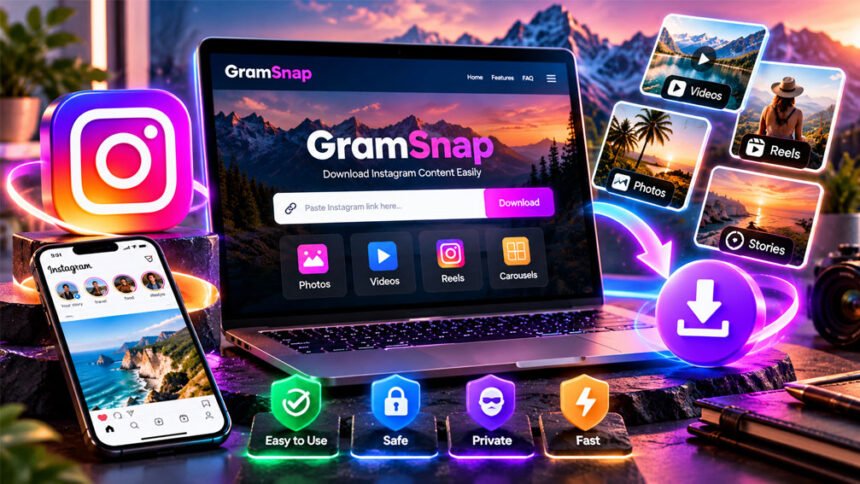
GramSnap is a third-party online tool for viewing and downloading public Instagram content. People mainly use it to save Instagram photos, videos, Reels, and carousel posts.
GramSnap also claims to let people view some Instagram content without logging in. However, GramSnap is not an official Instagram or Meta service.
This guide explains what GramSnap is, how it works, its main features, cost, safety, privacy, and limits.
What Is GramSnap?
GramSnap is an online tool for downloading Instagram content. It works through a web browser, so users do not normally need to install an app.
Its iGram downloader is designed to save Instagram photos, videos, Reels, and carousel posts.
The process is simple. You copy the link of a public Instagram post and paste it into GramSnap. The tool then tries to find the media and gives you a download option.
People may use GramSnap to save public Instagram content for offline viewing, personal reference, research, or other allowed uses.
GramSnap is a third-party service. There is no confirmed official connection between GramSnap and Instagram or Meta.
Some information about GramSnap also mentions Story, Highlight, and profile viewing. These features may change depending on how the service currently works.
GramSnap is also connected with the name iGram. GramSnap has offered an iGram-branded downloader. Another service called iGram World uses a different website. Similar names do not prove that both services have the same owner.
How Does GramSnap Work?
GramSnap mainly works by using Instagram links.
First, open Instagram and find the public photo, video, Reel, or post you want to save. Copy its link using Instagram’s sharing options.
Next, open GramSnap and paste the link into its downloader. GramSnap will try to find the media. If it works, you will see an option to download it.
The basic steps are:
- Open the content on Instagram.
- Copy its link.
- Open GramSnap.
- Paste the link into the download box.
- Start the process.
- Choose the available download option.
- Save the file to your device.
The exact buttons may change over time.
GramSnap says users do not normally need to log in to Instagram to download public content. This means you should not need to give the service your Instagram password for a basic download.
GramSnap depends on Instagram’s public data. If Instagram changes its system, some GramSnap features may stop working for a short time or completely.
Main GramSnap Features
GramSnap offers several tools for public Instagram content. Some features are better confirmed than others, so availability can change.
Instagram Photo Downloads
GramSnap can download photos from supported public Instagram posts.
Copy the photo’s Instagram link and paste it into GramSnap. If the tool can find the image, it will show a download option.
The quality of the downloaded photo depends on the file GramSnap can get from Instagram. This means the highest or original quality may not always be available.
Instagram Video Downloads
GramSnap also supports public Instagram video downloads.
Copy the video’s link and paste it into the downloader. If the video is supported, GramSnap will give you an option to save it.
Video quality and sound may depend on the original post and what GramSnap can access.
Instagram Reels Downloads
GramSnap advertises support for downloading public Instagram Reels.
Copy the Reel link and paste it into GramSnap. If the Reel is available, the service may provide a video download.
Private, deleted, restricted, or unsupported Reels may not work.
Carousel Downloads
Instagram carousel posts contain several photos or videos in one post.
GramSnap says it supports carousel posts. It may allow users to download the photos or videos inside a supported carousel.
The available options may depend on the post and GramSnap’s current features.
Stories, Profiles, and Highlights
Some information about GramSnap says it can also show public Instagram Stories, profiles, posts, Reels, and Highlights.
These tools may work differently from a normal post downloader.
They should only work with information that GramSnap can access publicly. They should not be used as a way to unlock private Instagram accounts.
Anonymous Viewing Claims
GramSnap is also linked with anonymous Instagram viewing.
Some descriptions say users can view public Stories through GramSnap instead of using their own Instagram account. This may keep their Instagram account from appearing in the normal Story viewer list.
However, this does not mean you are completely anonymous online.
A website can use servers, cookies, ads, analytics, and other systems. There is not enough independent information to say that GramSnap records no visitor information at all.
Downloading a public post and viewing a Story are also different actions. Users should not assume that every GramSnap feature is completely anonymous.
Does GramSnap Work With Private Instagram Accounts?
GramSnap is mainly designed for public Instagram content. It should not be expected to unlock private accounts.
Private Instagram accounts only show their content to approved followers. GramSnap cannot normally get this content through its public downloader.
Be careful with websites that promise to show private Instagram photos, Stories, or messages. Some may ask for passwords, personal details, surveys, or unwanted software.
GramSnap should be used for supported public content, not for bypassing Instagram privacy settings.
Is GramSnap Free?
GramSnap is advertised as a free service.
The available information does not show that users need a paid plan for normal Instagram downloads. Users are also not normally required to create an account.
Free websites may make money through advertisements. Because of this, users may sometimes see ads, pop-ups, or extra pages.
Be careful not to confuse an advertisement with the real download button.
There is no reliable information showing official GramSnap premium or paid plans. Its pricing and features may change in the future.
Supported Devices and Platforms
GramSnap works through a web browser. This means users do not normally need to install a special app.
It can be used on common devices such as:
- Smartphones
- Tablets
- Laptops
- Desktop computers
Downloaded files normally go to your browser’s download folder. On phones and tablets, the location may depend on the browser and operating system.
Browser settings can also affect GramSnap. Download permissions, privacy settings, ad blockers, or security tools may sometimes stop parts of the website from working correctly.
A basic browser-based downloader should not require you to install an unknown program or browser extension.
Is GramSnap Safe?
GramSnap is a third-party website, so users should be careful.
One useful point is that its basic downloader is described as working without an Instagram password. This means you do not normally need to share your Instagram login details.
Some reports say GramSnap also uses an SSL certificate. HTTPS protects information while it travels between your browser and the website. However, HTTPS alone does not prove that a website is completely safe.
Watch out for fake download buttons, pop-ups, redirects, and requests to install unknown software.
If GramSnap suddenly asks for your Instagram password, payment information, or access to unrelated accounts, stop and check the website carefully.
Using an updated browser can also improve online security.
GramSnap Privacy
GramSnap is promoted as a no-login service. You usually do not need to connect your Instagram account to download public content.
However, not logging in does not mean that you have complete privacy.
Like other websites, third-party downloaders may use cookies, servers, ads, analytics, and hosting services. These systems may process information such as your IP address, browser type, or device details.
There is not enough reliable information to say exactly what GramSnap currently collects or stores.
If privacy is important to you, read the site’s current privacy policy before using it.
The same rule applies to anonymous Story viewing. Using GramSnap instead of your Instagram account does not prove that no information about your visit is recorded anywhere.
Avoid giving sensitive personal information to third-party Instagram tools.
Is GramSnap Legal?
The answer depends on how you use it and the laws in your country.
A photo or video being public on Instagram does not mean anyone can freely reuse it. The creator may still own the copyright.
Saving something for personal use is different from publishing it on your website, using it in an advertisement, selling it, or claiming it as your own.
Giving credit to the creator is useful, but credit does not always give you permission to use copyrighted content.
Commercial use may require permission or a proper licence.
Instagram also has rules about third-party services, automated access, and data collection. Users should consider Instagram’s current rules as well as copyright law.
If you want to use another person’s content commercially, getting permission is usually the safer choice.
GramSnap vs. iGram World
GramSnap and iGram World may look connected because both are linked with Instagram downloading.
GramSnap has hosted an iGram-branded downloader. iGram World is a separate website that also offers Instagram downloading tools.
Both use a similar process. You copy an Instagram link, paste it into the downloader, and choose a download option.
However, similar names do not prove that the two services have the same owner.
Their privacy rules, security, advertisements, features, and website systems may be different.
iGram World says it is not connected with Instagram or Meta. There is also no reliable information showing that GramSnap is an official Instagram service.
Users should treat them as separate third-party tools unless a direct connection is confirmed.
Benefits and Drawbacks of GramSnap
GramSnap has some useful features, but it also has limits.
Benefits
- Works in a web browser.
- No special app is normally needed.
- Basic use is advertised as free.
- Instagram password is generally not required.
- Supports different types of public Instagram content.
- Can download photos, videos, Reels, and carousels.
- Works on phones, tablets, laptops, and desktop computers.
- Can be useful for saving permitted public content.
Drawbacks
- It is not an official Instagram service.
- It depends on Instagram’s public data.
- Features may stop working after Instagram updates.
- Private Instagram content is not normally supported.
- Anonymous viewing does not guarantee complete privacy.
- Ads and redirects may cause confusion.
- Downloading content does not give you copyright ownership.
- Features may change without notice.
Common GramSnap Problems and Fixes
GramSnap may sometimes stop working. There are several possible reasons.
Instagram Link Does Not Work
Make sure you copied the full Instagram link.
Go back to Instagram and copy the URL again. Then paste the new link into GramSnap.
The post may also have been deleted, restricted, or made private.
Private Content Cannot Be Downloaded
GramSnap is designed for public content.
If a post or account is private, the downloader should not be expected to access it.
Avoid websites that promise to bypass Instagram’s private account settings.
Download Button Does Nothing
Refresh the website and try again.
A temporary GramSnap problem, internet connection issue, browser setting, or Instagram update may stop the download from working.
You can also try another updated browser or wait and try again later.
Downloaded File Does Not Open
Check that the download finished completely.
If the file is damaged, delete it and download it again.
Also make sure your device supports the file type.
Be careful if you receive an unexpected program or executable file instead of a normal photo or video.
Too Many Pop-Ups or Redirects
Some free downloader websites use advertisements that look like download buttons.
Close unwanted tabs and return to the correct website.
Do not install software because a pop-up says your device has a virus or needs an update.
If the website keeps opening suspicious pages, stop using it.
The Site Asks for an Instagram Password
A normal public Instagram download should not require your password.
Check the website address if you see a login request. You may have opened an advertisement or another website.
For normal Instagram login, use the official Instagram website or app.
Tips for Using GramSnap More Safely
Follow these simple tips:
- Check the website address before using it.
- Do not give your Instagram password for a basic download.
- Avoid unknown apps and browser extensions.
- Keep your browser updated.
- Avoid suspicious ads and pop-ups.
- Only access content that is publicly available.
- Get permission before reusing copyrighted content when needed.
- Do not assume anonymous viewing means complete privacy.
- Leave the website if it starts acting suspiciously.
These tips are also useful when using other third-party Instagram downloaders.
GramSnap Alternatives
There are other ways to save or revisit Instagram content if GramSnap does not meet your needs.
Google or Browser-Based Download Tools
Many websites offer Instagram downloading tools similar to GramSnap. Some support photos, videos, Reels, Stories, and carousel posts.
These tools can be useful if GramSnap cannot process a particular link.
However, another downloader is not automatically safer. Avoid services that ask for unnecessary login details, force software installation, or claim they can easily unlock private accounts.
Screen Recording and Screenshots
Phones, tablets, and computers usually have built-in screenshot and screen-recording tools.
Screenshots are useful when you only need a simple visual copy. Screen recording can save what is playing on your screen when doing so is permitted.
However, the quality may be lower than downloading the actual media file.
Copyright rules still apply to screenshots and screen recordings.
Instagram’s Own Features
Instagram has official tools for saving and sharing content.
The Save feature lets you bookmark a post inside Instagram so you can find it later. It does not normally download the original media file to your device.
Instagram may also offer download or account-data tools for some content.
If the content belongs to you, keeping your original photos and videos is usually the easiest way to protect their quality.
Who Is GramSnap Best For?
GramSnap may be useful for people who want a simple way to save supported public Instagram content through a browser.
It can help users download public photos, videos, Reels, and carousels for offline viewing, research, personal reference, or another allowed purpose.
It may also suit people who do not want to install another app.
GramSnap is not suitable for people who want to unlock private accounts. It should also not be treated as an official Instagram service or a tool that guarantees complete anonymity.
Users dealing with sensitive or copyrighted material should be more careful with third-party websites.
Bottom Line
GramSnap is a third-party online tool for viewing and downloading public Instagram content. It supports or advertises downloads for photos, videos, Reels, and carousel posts.
Its main benefit is simple browser-based access. Users can normally paste an Instagram link into the tool without installing software or entering an Instagram password.
However, GramSnap has limits. It does not normally work with private content, and its features can stop working if Instagram changes its system.
Anonymous viewing also does not always mean complete online privacy.
If you use GramSnap, check the correct website, protect your login details, avoid suspicious downloads, and respect the copyright and privacy of other people.
Frequently Asked Questions
What is GramSnap?
GramSnap is an online tool for viewing and downloading public Instagram photos, videos, Reels, and other content.
Is GramSnap free?
Yes, GramSnap is advertised as free for basic use. There are no confirmed paid plans.
Do I need an Instagram account to use GramSnap?
No. You can usually paste a public Instagram link into GramSnap without logging in.
Can GramSnap download Instagram Reels?
Yes. GramSnap can download supported public Instagram Reels, but private or deleted Reels may not work.
Can GramSnap view private Instagram accounts?
No. GramSnap is designed to work with public Instagram content, not private accounts.
Is GramSnap anonymous?
GramSnap offers anonymous viewing features, but this does not mean you are completely private online.
Is GramSnap safe to use?
GramSnap does not normally need your Instagram password. Still, avoid suspicious ads, pop-ups, links, and downloads.
Is it legal to download Instagram content with GramSnap?
It depends on how you use the content. Downloading a photo or video does not automatically give you permission to reuse it.
More To Explore:
Image Search Techniques: Complete Guide to Reverse Search, Google Lens, and AI