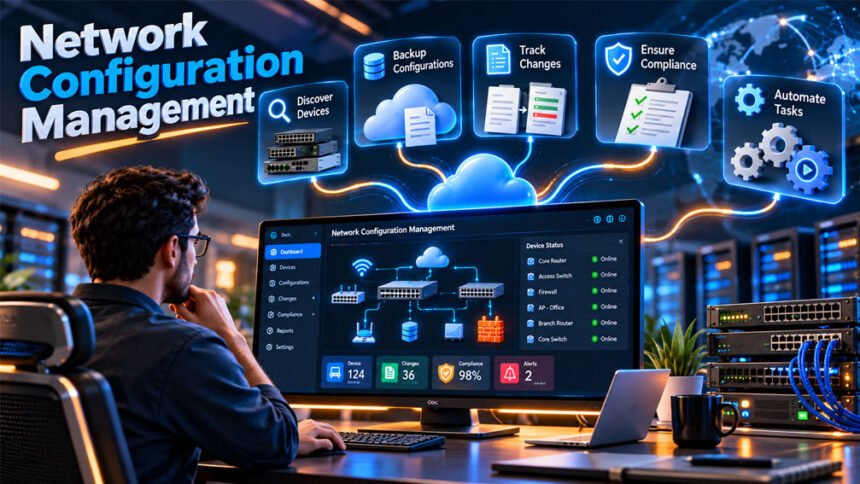
Network configuration management (NCM) is the process of managing and tracking the settings of network devices. It helps IT teams manage routers, switches, firewalls, access points, servers, and other devices.
Managing devices by hand becomes harder as a network grows. A small mistake can cause connection problems, downtime, or security risks. NCM helps reduce these problems with backups, change tracking, monitoring, standard settings, and automation.
This guide explains what network configuration management is, how it works, its main features, benefits, security uses, tools, best practices, and common problems.
What Is Network Configuration Management?
Network configuration management is the ongoing process of managing network device settings. It covers setup, monitoring, maintenance, backups, and changes.
Network configuration and network configuration management are related, but they are different.
Network configuration means setting up how a network should work. This can include IP addresses, routing protocols, VLANs, security policies, and access controls.
Network configuration management means managing these settings over time. It helps teams track changes, create backups, monitor devices, and keep configurations consistent.
An NCM system may also store information about devices. This can include the IP address, hostname, location, model, operating system, firmware version, and device role.
In the past, administrators often changed network settings manually through a command-line interface (CLI). They had to configure devices one by one and keep their own records. This can become difficult and increase the chance of mistakes.
Modern NCM software can make this work easier. It can discover devices, save configurations, create backups, track changes, compare versions, send alerts, and help restore old configurations.
The main goal is to give IT teams a clear record of how devices are configured now, how they were configured before, and how they should be configured.
Why Is Network Configuration Management Important?
A small network may have only a few devices. A large company can have hundreds or thousands of network devices in different offices, data centers, and cloud environments.
Managing all these devices by hand can be difficult.
Human error is one common problem. An administrator may enter the wrong IP address, change the wrong interface, use an incorrect VLAN, or apply a setting to the wrong device.
Another problem is configuration drift. This happens when devices that should have similar settings slowly become different because of changes made over time.
Poor documentation can make these problems worse. If nobody records a change, finding the cause of a network problem may take longer.
Network configuration management gives teams a central record of device configurations. They can compare changes, find unexpected settings, and return to a known-good configuration when needed.
Good configuration management can also help reduce downtime, repeated problems, delayed upgrades, and compliance issues.
NCM cannot prevent every network problem. Hardware can fail and software can have bugs. However, it gives teams better tools to find problems and recover from them.
How Does Network Configuration Management Work?
Network configuration management is usually a continuous process.
It often starts with device discovery. The NCM system finds supported devices on the network and collects information about them.
This information may include IP addresses, hostnames, models, serial numbers, operating systems, firmware versions, locations, and device roles.
The system then collects and stores device configurations. Backups may happen at set times or after a configuration change.
Organizations can also create approved configurations called baselines or golden configurations. These show how a certain type of device should normally be configured.
The NCM system can compare a device’s current configuration with an older version or an approved baseline. If something changes, the system can record the difference and may send an alert.
A normal change process may look like this:
Plan the change → Check it → Approve it → Deploy it → Verify it
If the change causes a problem, a saved configuration can help restore the device to an earlier working state.
This configuration history is useful for troubleshooting, security checks, audits, and recovery.
Main Features of Network Configuration Management
NCM tools do not all have the same features. However, several features are common.
Device Discovery and Inventory
NCM software can automatically find supported devices and add them to a central inventory.
It may collect details such as IP address, hostname, vendor, model, operating system, firmware, location, and status.
Some tools can also show connections between devices and create network maps. This can help teams understand how different devices are connected.
Multi-vendor support is important for businesses that use network equipment from different companies.
Configuration Backup and Restore
NCM software can automatically save copies of device configurations.
Backups may run daily, at another set time, or after an important change. Keeping different versions gives administrators a history of each device.
If a bad change causes a problem, the team can find an older working configuration and use it to help restore the device.
Backups can be useful after configuration mistakes, hardware problems, failed changes, and security incidents.
Teams should also test their backups. Saving a configuration is not enough if it cannot be restored when needed.
Configuration Change Tracking
Change tracking records changes made to network configurations.
The system may show what changed, when it changed, and sometimes who made the change.
Administrators can compare old and new versions instead of checking large configuration files by hand.
This is useful when troubleshooting. If a problem starts after a recent change, the team can check exactly what was changed.
It can also help find unauthorized changes.
Configuration Drift Detection
Configuration drift happens when a device slowly becomes different from its approved configuration.
For example, several routers may start with the same basic settings. Over time, different changes are made to each router. Eventually, their configurations may become very different.
Drift detection compares the current configuration with an approved baseline or desired state.
Not every difference is a problem. Some offices or devices need different settings. Approved exceptions should therefore be recorded so teams can focus on real problems.
Configuration Reporting and Dashboards
NCM dashboards give administrators a central view of network information.
They may show device status, recent changes, backup results, policy problems, firmware details, and other useful information.
Reports can help teams review changes, find devices that do not follow company rules, investigate problems, and prepare for audits.
Some tools can also send alerts when important settings change.
Firmware Lifecycle Management
Network devices use software and firmware that can become outdated.
Some NCM platforms track end-of-support (EoS) and end-of-life (EoL) information.
This helps teams find devices or software versions that may need an update or replacement.
Network Configuration Management and Automation
Automation can save time by handling repeated network tasks.
An NCM system can automatically create backups, compare configurations, run compliance checks, create reports, send alerts, and make some configuration changes.
This is especially useful for large networks. Making the same change manually on hundreds of devices can take a lot of time.
NCM platforms may also provide APIs that allow them to work with scripts and other IT tools.
However, automation must be used carefully. A manual mistake may affect one device. An automated mistake could affect hundreds of devices very quickly.
Large changes should therefore be tested and checked before being applied everywhere. Teams should also monitor the deployment and stop it if problems appear.
What Is Configuration as Code?
Configuration as code means managing network configurations in a similar way to software code.
Instead of entering every setting directly on a device, teams can store configuration files and templates in a controlled system.
These files can use version control, making it easier to see and review changes.
A desired state describes how a network or device should be configured.
A simple process is:
Intent → Create configuration → Check → Deploy → Verify
Verification is important because successfully sending a command does not always mean the network is working correctly.
Configuration as code can also help reduce configuration drift by keeping approved settings in a controlled place.
GitOps for Network Configuration
GitOps uses Git to store and manage configuration files.
Engineers can make changes through branches and pull requests. Other team members can review the changes before they reach the network.
Git also keeps a history of changes. This makes it easier to see what was changed and when.
Automated checks can look for syntax errors, policy problems, and exposed secrets before deployment.
CI/CD pipelines can then help test and deploy approved changes.
GitOps still requires network knowledge. Templates and automation must be created and tested correctly.
Safer Large-Scale Changes
Large changes should not always be sent to every device at the same time.
A canary deployment sends the change to a small number of devices first. Teams can check whether everything works before continuing.
Changes can also be limited by location or scheduled during maintenance periods.
Blast-radius controls can limit how many devices are affected at once.
Automated systems can also pause a deployment if too many errors appear.
After a change, teams should check that devices, routing, connections, and security rules are still working correctly.
Security and Compliance
Network configuration management can help improve network security.
An unauthorized change may create a security problem. For example, someone could change a firewall rule or turn off an important security setting.
NCM software can record these changes and alert administrators when something unexpected happens.
Role-based access control (RBAC) limits what each user can do. For example, one person may create a change, another may approve it, and another may deploy it.
Passwords, API keys, and other secrets should also be stored safely. They should not be saved as plain text in scripts or configuration files.
Emergency access may sometimes be needed during a serious problem. This is sometimes called break-glass access. Its use should be controlled, recorded, and reviewed.
NCM tools can also check settings such as encryption, AAA, NTP, SNMPv3, and routing rules.
Some tools provide templates related to PCI DSS, NIST, DISA STIG, CIS, FISMA, HIPAA, and SOX requirements.
However, an NCM tool alone does not make a company compliant. Compliance also depends on company policies, staff practices, documentation, security controls, and other systems.
Benefits of Network Configuration Management
Network configuration management can make networks easier to control and maintain.
Standard configurations help keep similar devices set up in the same way. Automation can also reduce some manual work and human mistakes.
Other important benefits include:
- Better network visibility.
- Faster troubleshooting.
- Easier configuration recovery.
- Less configuration drift.
- More consistent settings.
- Faster detection of unauthorized changes.
- Better audit and compliance records.
- Less repetitive manual work.
- Better network documentation.
- Easier management of large networks.
NCM also reduces the need to depend on one employee’s knowledge. Important configuration information can be stored centrally where authorized team members can use it.
Challenges and Limitations
Setting up network configuration management takes time.
Teams must find their devices, build an inventory, create standards, set permissions, and connect the NCM platform with other systems.
Paid NCM tools may also include software, support, infrastructure, and training costs.
Older devices may not support every feature of modern NCM software. Different vendors may also use different commands, APIs, and configuration formats.
Automation can create problems if it is not controlled. A wrong automated change can affect many devices quickly.
Golden configurations must also be kept correct. A bad standard configuration can spread incorrect settings across the network.
Too many alerts can become another problem. Teams may start ignoring alerts if the system reports too many unimportant changes.
The NCM system itself must also be protected because its backups may contain sensitive network information.
NCM software works best when it is supported by clear rules, trained staff, secure access, and careful change management.
Network Configuration Management Best Practices
Start with an accurate list of network devices. Know where each device is, what it does, and which software or firmware it uses.
Create standard configurations for devices that perform similar jobs.
Use clear device names and interface descriptions. This makes configurations easier to understand.
Create regular backups and keep older versions. Test important backups to make sure they can actually be restored.
Review important changes before deployment. Test large changes on a small group of devices when possible.
Give users only the access they need. Important changes may also require separate people to create, approve, and deploy them.
Organizations can connect changes to IT service management (ITSM) tickets. This creates a record of why a change was needed.
Store passwords, API keys, and other secrets securely.
After making an important change, check that the network is still working correctly.
Also record approved exceptions when a device or location needs different settings.
Important Network Configuration Management Metrics
Metrics help teams understand whether their network management process is improving.
Configuration drift rate shows how often devices move away from approved settings.
Compliance pass rate shows how many devices follow required security or configuration rules.
Change success rate shows how many changes work correctly. Change failure rate shows how many changes fail or need to be reversed.
Mean time to repair or recover (MTTR) measures how long it takes to restore normal service after a problem.
Teams can also measure how quickly they restore configurations and detect unauthorized changes.
The number of incidents caused by configuration problems can also be useful.
These numbers should help teams measure network reliability, not simply how many changes they make.
How to Choose a Network Configuration Management Tool
Start by checking the size and needs of your network.
Make sure the tool supports your routers, switches, firewalls, access points, operating systems, and network protocols.
Useful features include:
- Automatic device discovery.
- Configuration backups.
- Version history.
- Configuration comparison.
- Rollback.
- Drift detection.
- Change alerts.
- Compliance checks.
- Role-based access control.
- Audit records.
- Reports and dashboards.
- API support.
- Automation.
- Firmware lifecycle tracking.
The tool should also be able to handle your network as it grows.
Check whether it works with your existing monitoring, security, backup, observability, and ITSM tools.
Security is also important. The platform should provide strong access controls and safe ways to manage credentials.
Some tools are self-hosted, while others may be available as cloud or SaaS services.
Also consider the full cost. This may include licensing, infrastructure, maintenance, support, and training.
When possible, test the tool on a small part of the network before using it everywhere.
Popular Network Configuration Management Tools
Many tools provide network configuration management or related features.
SolarWinds provides network management and observability products. Its products include features for monitoring, reporting, configuration management, and device management.
ManageEngine Network Configuration Manager focuses on network configuration and change management. It provides backups, alerts, reports, rollback, user tracking, and access controls.
Device42 focuses on IT asset discovery, inventory, dependency mapping, and infrastructure visibility.
Domotz provides network monitoring and configuration features. These include backups, restore options, change history, and alerts for supported devices.
BMC network automation products provide features for configuration changes, policy management, reporting, rollback, and other enterprise network tasks.
rConfig provides network configuration management and automation. Its features include backups, configuration comparison, rollback, compliance tools, and API support.
Paessler mainly provides network monitoring tools. These tools can work alongside NCM software to help teams find network problems and check network health.
These products are not all designed for exactly the same purpose. Some focus on configuration management, while others focus more on monitoring, discovery, asset management, or automation.
Features, prices, plans, and device limits can change. Always check current information from the provider before choosing a product.
NCM Tools vs. Other Network Management Tools
NCM is only one part of network management.
NCM platforms manage device configurations, backups, changes, drift, rollback, and compliance.
Network automation tools automatically perform tasks and deploy changes across devices.
Source-of-truth systems store trusted information about how the network should be designed. This may include devices, IP addresses, interfaces, sites, and connections.
Monitoring and observability tools show what is happening on the network. They can track availability, traffic, performance, logs, and other information.
Organizations may use several of these tools together.
For example, one system may store the intended network design, another may deploy the configuration, an NCM tool may track the configuration, and a monitoring tool may check whether everything still works.
How to Implement Network Configuration Management
Start by reviewing your current network.
Create an accurate list of devices, vendors, operating systems, firmware versions, locations, and device roles.
Look for existing problems such as missing backups, different configurations, undocumented changes, and unsupported devices.
Next, decide which configuration and security rules should be followed.
Choose an NCM tool that supports your existing network equipment and systems.
Create approved configuration standards and baselines. These make it easier to find incorrect settings later.
Connect the NCM system with other tools when needed.
Test everything in a controlled environment before using it across the full network.
Train the employees who will use the system. They should know how to manage backups, alerts, approvals, comparisons, and recovery.
Start with a small deployment and expand it when everything works correctly.
Continue checking reports, alerts, templates, and automation after setup. Network configuration management is an ongoing process.
Common Network Configuration Problems and Troubleshooting
Configuration Drift
Configuration drift happens when a device no longer matches its approved settings.
Compare the current configuration with the approved baseline. Fix unwanted changes and record any differences that are required.
Incorrect or Overlapping IP Addresses
Wrong or duplicate IP addresses can cause connection problems.
Compare device settings with your approved IP address plan. Correct the address and make sure another device is not using it where a unique address is required.
VLAN Misconfigurations
Incorrect VLAN settings can stop devices from connecting to the correct network.
Check VLAN IDs, access settings, and trunk settings. Compare them with a working device or approved configuration.
Routing Errors
Incorrect routing settings can make networks unreachable or send traffic in the wrong direction.
Check recent changes and compare routing settings with the intended network design. Correct the problem and test the connection again.
Incorrect Access Controls
Incorrect firewall rules or access control lists can block required traffic or allow traffic that should be blocked.
Compare the current rules with approved security policies. Fix incorrect settings and test important connections afterward.
Failed Configuration or Firmware Changes
A device may stop working correctly after an update or configuration change.
Check the change history. If needed, return to a known-good configuration or follow the device vendor’s recovery instructions.
Unauthorized Configuration Changes
An unexpected change may be caused by a mistake or an unauthorized action.
Check audit records and login information. Restore the correct settings when needed and find out how the change happened.
Devices That Do Not Match Standard Templates
Devices with the same job may slowly develop different configurations.
Compare their settings with the standard template. Keep required differences and correct unnecessary ones.
Missing or Outdated Backups
Backups can fail because of connection problems, changed credentials, incorrect permissions, or other errors.
Check backup logs, connectivity, login details, and permissions. After fixing the problem, create a new backup and make sure it was saved correctly.
Restoring the network is only the first step. Teams should also find the cause of the problem so it is less likely to happen again.
Bottom Line
Network configuration management helps IT teams manage network device settings in a clear and organized way.
It can discover devices, create backups, track changes, detect configuration drift, check standards, support audits, and help restore devices after problems.
Automation can make NCM faster, especially for large networks. However, automated changes should always be tested and controlled.
Good NCM also requires accurate device information, secure access, tested backups, clear standards, change reviews, and proper documentation.
Frequently Asked Questions
What is network configuration management?
Network configuration management means managing and tracking network device settings. It also helps save backups and keep devices set up correctly.
Why is network configuration management important?
It helps prevent mistakes, improve security, and fix network problems faster. It also makes network devices easier to manage.
What are the five functions of configuration management?
The five functions are planning, identification, change management, status tracking, and checking or auditing configurations.
What is configuration drift?
Configuration drift happens when a device’s settings slowly become different from the approved or standard settings.
What is a golden configuration?
A golden configuration is an approved setup used as a standard for network devices. It helps teams find incorrect or unwanted changes.
What is the difference between network configuration management and network automation?
NCM manages and tracks network settings and backups. Network automation automatically performs network tasks and changes.
Can network configuration management improve security?
Yes. It can find unwanted changes, control access, check security settings, and help restore safe configurations.
What should you look for in an NCM tool?
Look for device support, automatic backups, rollback, change tracking, security controls, reports, integrations, and automation features.
More To Explore: