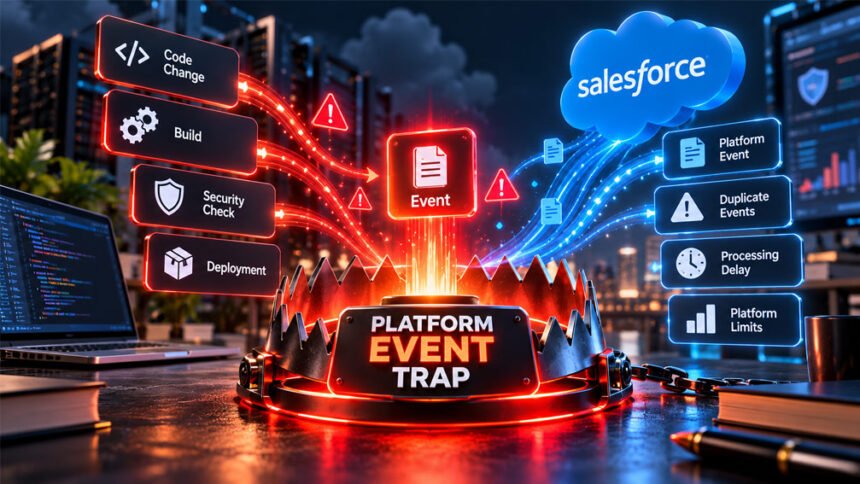
A Platform Event Trap is a term used in cybersecurity, automation, event-based systems, and Salesforce. The term can be confusing because it does not have one official meaning.
In cybersecurity, it can mean a system that watches important events and takes action when it finds a security problem. In Salesforce, the term can describe common mistakes that cause Platform Events to have problems.
This guide explains both meanings. It also covers how Platform Event Traps work, common risks, Salesforce problems, CI/CD security, and useful best practices.
What Is a Platform Event Trap?
The meaning of Platform Event Trap depends on how the term is being used.
In cybersecurity, it can describe an event-based security process. A system watches for an important event. It checks the event against security rules and then decides what to do.
For example, a security scanner may find an API key inside new code. A security rule can stop the code from moving forward until someone checks the problem.
Other events may include a new deployment, build result, cloud setting change, service account action, or approval request.
A Platform Event Trap is not necessarily one program or product. Companies can build this type of system by connecting security tools, cloud services, repositories, CI/CD systems, and automation tools.
The Salesforce meaning is different.
In Salesforce discussions, a platform event trap can mean common mistakes made when using Salesforce Platform Events. These mistakes can cause delays, duplicate processing, failed integrations, or other production problems.
The two meanings are related to event-based systems, but they are not exactly the same.
Is Platform Event Trap an Official Cybersecurity Term?
No. Platform Event Trap is not an official cybersecurity standard or control defined by organizations such as NIST or OWASP.
This is why different websites may explain the term differently.
One source may use it to describe automated security actions. Another may use it to discuss problems with Salesforce Platform Events.
However, the broader security idea is related to common practices such as continuous monitoring, automated response, policy-as-code, CI/CD security, and Zero Trust.
For example, Zero Trust does not automatically trust an action just because it comes from a known account or system. The system can check the identity, permissions, resource, and other information before allowing the action.
A Platform Event Trap can use a similar idea by checking an event before deciding what should happen next.
How Does a Platform Event Trap Work?
In cybersecurity, a Platform Event Trap can work like an automatic security checkpoint.
The basic process is:
Event → Check → Decision → Action → Record
First, something happens. A developer may create a pull request, a deployment may start, or a service account may try to access something important.
The system receives information about the event.
A security tool or policy system then checks it against the company’s rules.
For example, it may check whether a software file passed security tests or whether a production deployment received the correct approval.
The system then decides what should happen.
A serious and clear security problem may cause the system to block or pause the action. A less certain problem may only create an alert or ask a person to review it.
The system may:
- Allow the action.
- Block it.
- Pause it.
- Ask for approval.
- Create an alert.
- Start an investigation.
- Isolate a file or software artifact.
- Start a security response.
The decision should also be recorded.
Logs can show what happened, which rule was checked, why an action was blocked or allowed, and whether someone later changed the decision.
Platform Event Trap Examples
One example is finding a secret inside source code.
A developer may accidentally put a production API key in a code change. A security scanner finds the key and stops the code from moving forward until the problem is checked.
Another example involves a software artifact. A company may require every release to pass certain security checks. If it fails, the release can be stopped before reaching production.
Cloud systems can also use this approach. If someone makes an unexpected change to an important cloud setting, the system can pause the deployment and ask for approval.
It can also monitor service accounts and other automated identities. If an account tries to perform an action it normally should not perform, the system may block the action or send an alert.
The basic process is similar in all these examples: something happens, the system checks it, makes a decision, and responds.
Platform Event Trap in Salesforce
Salesforce Platform Events allow different systems and processes to share information through events.
They work asynchronously. This means a system can publish an event without waiting for every subscriber to finish processing it.
This is useful for integrations and background tasks. However, problems can happen when developers expect Platform Events to work like normal instant requests.
In Salesforce discussions, a platform event trap can describe these types of mistakes.
Possible problems include:
- Duplicate processing.
- Delayed processing.
- Failed integrations.
- Throttling.
- Problems under heavy production use.
A system may work correctly during development but have problems after it goes into production.
Development environments usually have smaller workloads. Production may have more users, events, subscribers, integrations, and processes running at the same time.
For this reason, teams should test Platform Events under conditions that are close to real production use.
Salesforce limits can also depend on the product, event type, license, and organization. Teams should check current Salesforce documentation instead of depending on an old fixed number.
Common Salesforce Platform Event Mistakes
Several mistakes can cause problems with Salesforce Platform Events.
Treating Asynchronous Events as Synchronous
Platform Events are asynchronous.
Publishing an event does not mean every subscriber will process it immediately.
Small delays can happen because of queues, system load, integrations, or other conditions.
This can become a problem when an application expects an instant response.
For tasks that require immediate user feedback, another Salesforce method may be more suitable. Platform Events are usually better for background work and system integrations where a short delay is acceptable.
Assuming Events Always Arrive in Order
Developers should not build important processes on the assumption that every event will always be processed in the expected order.
Queues, retries, and other system conditions can affect processing.
If order is important, developers can include information such as timestamps or sequence numbers. This can help the subscriber understand the correct order.
Failing to Handle Duplicate Events
A system should be prepared to safely handle an event more than once.
This is where idempotent processing is useful. It means processing the same event again should not create an unwanted second result.
For example, an event may tell a system to create a record. If that event is processed twice, a badly designed subscriber could create two records.
Unique event or business IDs can help the system check whether an event has already been processed.
Ignoring Platform Limits
Salesforce has limits for different platform features.
A system that works with a small number of events may have problems when the number grows.
Teams may need to watch event volume, processing activity, payload size, subscriber activity, and other limits.
Exact limits can vary. Administrators should check the current Salesforce documentation and their organization’s limits.
Testing Only at Small Scale
A small test environment may not behave like production.
Production can have more users, more data, more integrations, and many processes running at the same time.
Teams should test realistic event volumes and system conditions when possible.
They should also test what happens when processing is delayed, an external service stops working, or an event needs to be processed again.
Weak Subscriber Security
External subscribers should be properly protected.
They may need authentication such as OAuth. Connections should use secure encryption such as TLS when appropriate.
Permissions should also follow the least privilege rule. This means a subscriber should only have the access it needs.
Teams should keep logs and regularly review who or what can access event data.
Platform Event Traps in CI/CD Pipelines
CI/CD pipelines contain many events.
A developer submits code. A build starts. Tests run. A software artifact is created. A release is approved. The software is then deployed.
Security checks can be added at these points.
For example, a pipeline can check whether security tests passed before continuing. It can also check a software artifact before deployment or require approval before a production release.
CI/CD systems can have powerful access.
They may have access to source code, credentials, software packages, cloud systems, and production environments.
This means a compromised CI/CD account can create a serious security problem.
Event-driven security can help by checking important actions when they happen and stopping clearly unauthorized activity.
Platform Event Trap and Secret Security
Modern software uses many types of secrets.
These include API keys, access tokens, certificates, passwords, and signing credentials.
Secrets can accidentally appear in source code, configuration files, build logs, container images, or software packages.
A Platform Event Trap can connect secret scanning to a quick security response.
For example, a scanner may find a production API key in new code. The workflow can then pause the code until someone checks the problem.
Removing the secret from the newest code may not completely fix the issue.
The secret could still exist in old repository history, logs, caches, builds, or copied files.
If a real credential was exposed, the company may need to rotate or revoke it.
Automated security cannot prove that nobody copied or used the secret. Its main benefit is helping teams respond more quickly.
Platform Event Traps and Non-Human Identities
Not every account belongs to a person.
Applications, APIs, bots, service accounts, workloads, CI/CD runners, and deployment systems can also have digital identities. These are often called non-human identities.
Some of these accounts have powerful permissions.
For example, a deployment account may be allowed to change cloud infrastructure or send software to production.
Event-based security can watch these actions.
If a service account performs an unexpected sensitive action, the system can ask for extra approval, block the action, or send it for investigation.
However, unusual activity does not always mean an attack.
Security rules should consider what the account normally does, what permissions it has, what resource it is using, and the situation around the action.
Platform Event Trap vs Security Monitoring
Security monitoring and a Platform Event Trap are related, but they are not the same.
Security monitoring mainly watches systems. It collects information, finds unusual activity, and creates alerts.
A Platform Event Trap can go further by connecting an event directly to a decision or action.
For example, monitoring may warn a team that a software release failed a security check. Automated enforcement could stop that release before it reaches production.
Not every alert should cause an automatic block.
An unclear warning may need a person to investigate it. A clear violation of an important security rule may be suitable for automatic action.
Both approaches can work together. Monitoring gives teams visibility, while automated enforcement can respond quickly to clear problems.
Platform Event Trap vs Webhooks, SIEM, SOAR, and Policy-as-Code
Several technologies can be used with event-driven security, but they have different jobs.
A webhook sends information when something happens. For example, it may report that someone opened a pull request.
A SIEM collects and analyzes security information from different systems.
A SOAR helps connect security tools and automate security responses.
Policy-as-Code turns security rules into instructions that software can automatically check.
A Platform Event Trap may use several of these tools together.
For example, a webhook reports an event. A policy system checks it. A SIEM records it. An automation tool then takes action.
The basic idea remains:
Event → Decision → Action
Benefits of Event-Driven Security
One important benefit is speed.
The system can respond to a clear security problem without waiting for someone to notice an alert.
For example, it may stop a dangerous deployment before it reaches production or quickly start the response to a leaked credential.
Another benefit is consistency. The same security rules can be applied every time the same situation happens.
Logging can also improve. Teams can see what happened, which policy was checked, what decision was made, and whether someone changed the decision.
However, automated security cannot stop every attack or mistake.
Its success depends on good event data, accurate rules, secure integrations, correct permissions, and regular maintenance.
Risks and Limitations
Automation can also cause problems.
A rule that is too strict may block safe work. A weak rule may fail to stop a real threat.
False positives can be especially frustrating. Developers may lose time when safe releases are repeatedly blocked.
Technical failures are another risk. Events may be delayed or repeated. An integration may stop working. Permissions may change. Different automated systems may also try to change the same resource.
Attackers may sometimes find ways around an automated control.
For this reason, a Platform Event Trap should not be the only security protection.
Powerful automated actions also need extra care. Disabling accounts, revoking credentials, changing infrastructure, or stopping production services can cause major problems if the system makes the wrong decision.
Fail-Open vs Fail-Closed
Teams must decide what happens when a security check cannot work correctly.
A fail-open system allows the action to continue if the security check cannot finish.
This helps keep systems available, but it may allow a risky action to continue.
A fail-closed system stops the action until the security check works.
This gives stronger security, but it may also stop safe work if the security system has a technical problem.
There is no single correct choice.
The decision depends on how sensitive the system is, how serious the security risk is, how reliable the security check is, and how much damage downtime could cause.
How to Implement a Platform Event Trap Safely
Start with a clear problem.
For example, a company may want to stop leaked production credentials, unauthorized deployments, unsafe software artifacts, or risky cloud changes.
Use reliable event data. Bad or incomplete data can lead to wrong decisions.
Security rules should also be clear and specific.
The response should match the risk. A small or uncertain problem may only need an alert. A serious and clear problem may need to be blocked.
A new rule can first run in observe or audit mode. This means the system records what it would block without actually stopping anything.
Teams can then find false positives and improve the rule.
After testing, automatic enforcement can be introduced slowly.
Automation should also follow least privilege. Give it only the permissions it needs.
Teams should test failures too. They should know what happens if an event source, policy system, network connection, or outside service stops working.
Important systems should also have recovery and rollback plans.
Best Practices
Useful Platform Event Trap practices include:
- Design for asynchronous processing.
- Prepare for duplicate events.
- Use unique event IDs when useful.
- Add retry and error handling.
- Monitor event volume and delays.
- Watch processing errors.
- Test with realistic workloads.
- Protect external subscribers.
- Use secure connections.
- Follow least privilege.
- Keep useful audit logs.
- Document event flows and subscribers.
- Control who can override security decisions.
- Record important exceptions.
- Review security rules regularly.
Systems change over time. Security rules should also be reviewed and updated when needed.
When Should You Use Event-Driven Enforcement?
Event-driven enforcement is most useful when waiting too long could make a problem worse.
Good examples include exposed credentials, important production deployments, software artifact checks, cloud infrastructure changes, and powerful machine accounts.
It is also useful in CI/CD pipelines because software can move from development to production very quickly.
However, the system should be able to identify the problem with reasonable confidence.
If a situation needs a lot of human judgment, an alert or approval request may be safer than automatically blocking it.
A simple question can help:
Will this problem become much worse if nobody responds quickly?
If yes, automated enforcement may be useful.
When Are Salesforce Platform Events a Good Choice?
Salesforce Platform Events are useful for asynchronous communication between systems.
They may work well for system integrations, ERP synchronization, background automation, communication between applications, reporting triggers, and admin alerts.
They are useful when the publisher does not need to wait for every subscriber to finish its work.
They may not be the best choice when users need an immediate response.
For example, if a screen must instantly tell a user whether an action succeeded, another Salesforce method may be better.
The right choice depends on the job the system needs to perform.
Troubleshooting Platform Event Problems
Events Are Not Being Published
First, check whether the event is actually being created and published.
Review errors, permissions, publishing logic, and system logs.
Also check whether the platform has reached an important usage limit.
Event Processing Is Delayed
A delay does not always mean something has failed.
Platform Events are asynchronous, so processing may take longer when systems are busy.
Check the time between publishing and processing. A large increase from the normal processing time may show that something is wrong.
The Same Action Happens More Than Once
Check whether the subscriber can safely handle the same event more than once.
Use a unique event or business ID when appropriate. The system can check this ID before repeating an action.
Events Are Processed in an Unexpected Order
Do not assume every event will always be processed in the exact order you expect.
If order is important, include useful information such as timestamps, sequence numbers, or versions.
Event Volume Is Too High
Check current event usage and platform limits.
Salesforce limits can vary by product, organization, license, and event type. Use current Salesforce information instead of relying on old limits.
A Subscriber Cannot Access Events
Check authentication and permissions.
For external subscribers, review credentials, OAuth settings, secure connections, and access permissions.
Also check whether any credentials have expired or been removed.
Security Rules Block Legitimate Work
Check the event and the security rule that caused the block.
Logs should help explain why the system made its decision.
If false positives happen often, the rule may need better conditions or more context.
An Automated Response Fails
Sometimes the system correctly finds a problem but cannot complete the response.
Check permissions, APIs, external services, integrations, retry settings, and error logs.
Teams should also have a recovery plan if an automated response stops halfway through.
Bottom Line
Platform Event Trap does not have one official meaning.
In cybersecurity, it can describe an event-based security process that checks important activity and takes action when needed.
In Salesforce discussions, it can describe common mistakes that cause Platform Events to have problems, such as delays, duplicates, poor scaling, and failed processing.
It is not an official NIST or OWASP security control or a single security product.
Good event-driven systems need reliable data, clear rules, secure access, realistic testing, monitoring, logs, least privilege, and human oversight.
Automation works best when it can respond quickly to clear problems without unnecessarily stopping normal work.
Frequently Asked Questions
What does Platform Event Trap mean?
It is a way to check important system events and respond to problems. In Salesforce, it can also mean common Platform Event mistakes.
Is Platform Event Trap an official cybersecurity standard?
No. Platform Event Trap is not an official NIST or OWASP security standard.
What is a Platform Event Trap in Salesforce?
It means common problems with Salesforce Platform Events, such as delays, duplicate events, and processing issues.
Can Salesforce Platform Events arrive more than once?
Yes, duplicate processing can happen. Systems should be designed to handle the same event safely.
Do Platform Events always arrive in order?
No, you should not assume events will always be processed in the expected order. Use sequence information when order is important.
Can a Platform Event Trap protect a CI/CD pipeline?
Yes. It can check builds, credentials, approvals, and deployments and respond when it finds a security problem.
Can event-driven security stop leaked credentials?
It can quickly detect a possible leak and start a response. An exposed credential may still need to be changed or revoked.
What is the biggest risk of automated enforcement?
The system may make a wrong decision and block safe work. Good testing and human review can reduce this risk.
More To Explore:
What Is content://cz.mobilesoft.appblock.fileprovider/cache/blank.html? Is It Safe?