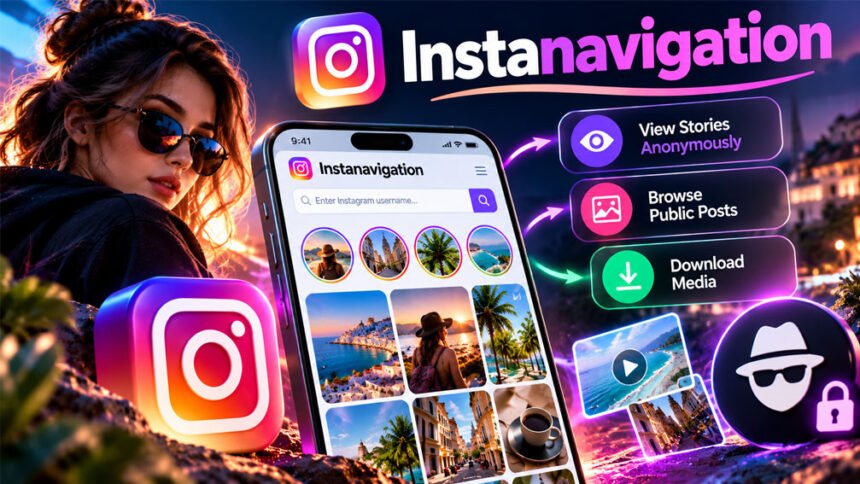
Instanavigation is an online tool that lets people view public Instagram Stories, posts, and profiles without logging into Instagram. It is mainly known for allowing users to watch Instagram Stories anonymously.
Many people search for Instanavigation to learn how it works, whether it is free, and if it is safe. This guide explains its features, how to use it, supported devices, benefits, problems, and alternatives.
What Is Instanavigation?
Instanavigation is an online tool that helps people view public Instagram content without signing into their accounts. Its main purpose is to let users watch Instagram Stories without showing their usernames in the viewer list.
People can use it to check public profiles, photos, Stories, and videos. Some versions also allow users to view Reels, Highlights, and download content.
Unlike Instagram, Instanavigation does not offer features such as posting photos, sending messages, or managing accounts.
It is not an official Instagram or Meta service. Several websites use the Instanavigation name, and their features may be different. Its original owner and launch date are not confirmed.
How Does Instanavigation Work?
Instanavigation works by searching for public Instagram accounts. Users enter a username or profile link, and the website tries to show the available content.
Instead of opening Instagram directly, users view Stories and posts through the Instanavigation website.
The tool claims that users can watch Stories without appearing in the account owner’s viewer list. However, this depends on how the website works.
Instanavigation mainly works with public accounts. It cannot normally show private content, and some features may stop working when Instagram makes changes.
Main Features of Instanavigation
Instanavigation offers several features for viewing public Instagram content. However, the available features may differ between websites.
Anonymous Instagram Story Viewing
Anonymous Story viewing is the main feature of Instanavigation. It lets users watch public Instagram Stories without logging into Instagram.
The website claims that the account owner cannot see the viewer’s Instagram username.
Instagram Stories usually disappear after 24 hours. Instanavigation may not show Stories that have expired, been deleted, or are restricted.
Instagram Profile and Post Viewing
Some Instanavigation websites let users view public Instagram profiles and posts.
Users may be able to see profile pictures, usernames, photos, videos, and basic account details.
However, the tool cannot show private posts or information that Instagram limits to approved followers.
Instagram Reels and Highlights
Some versions of Instanavigation also support Instagram Reels and Highlights.
Reels are short videos shared on Instagram. Users may be able to watch public Reels without signing in.
Highlights are saved Stories that remain on a profile until the owner removes them.
These features can help users check content from public accounts, brands, and creators. However, not every Instanavigation website supports them.
Instagram Story and Video Downloads
Some Instanavigation websites allow users to download Instagram Stories, photos, and videos.
One source reports that users can download videos in MP4 format by clicking a download button.
MP4 is a common video format that works on most phones and computers.
However, downloads may not work for every post or Story. Users should also get permission before sharing or using someone else’s content.
No Login or App Installation
Instanavigation usually works without an Instagram account.
Users can open the website, enter a public username, and view available content.
There is normally no need to register or install an application.
This makes it useful for people who do not have Instagram accounts. However, users should never enter their Instagram passwords on unknown websites.
How to Use Instanavigation
Using Instanavigation is simple. Most versions allow users to search for an Instagram profile using a username or link.
Step 1: Open the Instanavigation Website
Open a browser on your phone or computer and visit an Instanavigation website.
One source mentions Instanavigation.com, but its current official website has not been confirmed.
Check the website address carefully and avoid suspicious pop-ups or download links.
Step 2: Enter an Instagram Username
Find the exact username of the public Instagram account you want to view.
Enter the username into the search box. Some websites also accept Instagram profile links.
For example, if the username is examplebrand, enter that name instead of the profile’s display name.
Click the search button and wait for the results.
Step 3: View Instagram Stories and Posts
When the profile appears, open it to see the available content.
Depending on the website, you may find Stories, photos, Reels, videos, and Highlights.
Choose what you want to view. Private accounts and deleted Stories may not appear.
Step 4: Download Available Content
If the website supports downloads, open the Story, photo, or video you want to save.
Find the download button and click it. Some versions reportedly allow MP4 video downloads.
The file may then be saved to your phone or computer.
Make sure you have permission before downloading or reusing someone else’s content.
Is Instanavigation Free to Use?
Instanavigation is generally described as a free Instagram viewing tool.
According to the available sources, users can view public Instagram Stories without paying or creating an account.
Some websites also offer free photo and video downloads.
However, current pricing and paid plans have not been confirmed. Different websites using the Instanavigation name may offer different services.
Users should check the website before making any payment or sharing personal information.
Supported Devices and Browsers
Instanavigation is mainly a browser-based tool. This means users can access it on most devices with an internet connection.
Supported devices reportedly include:
-
Android phones: Use Chrome or another browser.
-
iPhones: Open the website through Safari or another browser.
-
Windows computers: Use a desktop browser.
-
Mac computers: Access the website through Safari, Chrome, or another browser.
-
Tablets: View public Instagram content through a browser.
Users normally do not need to install a separate application.
The website’s speed depends on the internet connection, browser, and server. Exact browser requirements have not been confirmed.
Benefits of Using Instanavigation
Instanavigation offers several possible benefits for people who want to view public Instagram content.
-
Easy to use: Search for an Instagram profile using a username or link.
-
Anonymous viewing: Some versions claim users can watch Stories without appearing in the viewer list.
-
No registration: Users usually do not need to create an account.
-
Works on different devices: The website can be opened on phones, tablets, and computers.
-
Content downloads: Some versions allow users to save public Stories, photos, and videos.
-
Useful for research: Businesses can check public posts from competitors and creators.
-
Simple browsing: Users can view available content without opening the Instagram app.
Businesses may use the tool to check public product updates, promotions, and influencer posts.
Content creators can also view public posts and Highlights to find ideas for their own content.
However, these benefits depend on the website and whether its features are working.
Is Instanavigation Safe and Private?
Instanavigation claims to offer anonymous Instagram viewing. However, this does not mean the website is completely private or safe.
Users may be able to watch public Stories without showing their Instagram usernames. Still, the website itself may collect information about visitors.
One source claims that Instanavigation uses SSL encryption and does not collect personal data. However, these claims have not been independently confirmed.
HTTPS helps protect information sent between a browser and a website. It does not mean the website cannot collect IP addresses, cookies, or browser details.
Some sources also mention limited customer support, missing contact details, and few user reviews. These concerns may not apply to every website using the name.
Users should be careful if a website:
-
Asks for an Instagram password or verification code.
-
Promises access to private Instagram accounts.
-
Requires unknown browser extensions.
-
Shows suspicious download buttons.
-
Asks for unnecessary personal information.
-
Does not clearly explain its privacy rules.
A professional-looking website is not always safe. Users should check the website address and avoid sharing sensitive information.
Instanavigation’s safety depends on the specific website. Its claims about complete privacy have not been verified.
Is Instanavigation Legal to Use?
Viewing public Instagram content through Instanavigation is not automatically illegal.
However, Instagram has rules about how outside websites can access and collect its content. Some third-party tools may not follow these rules.
Downloading photos or videos can also create copyright problems. Just because content is public does not mean anyone can copy or publish it.
Users should avoid accessing private information, sharing content without permission, or using the tool to harass others.
Instanavigation has not been confirmed as an officially approved Instagram service. Users should follow Instagram’s rules and respect content owners.
Limitations and Drawbacks of Instanavigation
Instanavigation has some limits that users should know about.
-
Public accounts only: It cannot normally show private Instagram content.
-
Expired Stories: Stories may disappear after 24 hours.
-
Missing posts: Some Reels, photos, and Highlights may not load.
-
Slow loading: The website may sometimes take longer to show content.
-
Technical issues: Instagram updates can affect how the tool works.
-
Different features: Websites using the same name may offer different options.
-
Limited support: Some versions may not provide customer service.
-
Basic functions only: Users generally cannot post photos, send messages, or manage accounts.
Because of these limits, Instanavigation is mainly useful for viewing public Instagram content.
Why Is Instanavigation Not Working?
Instanavigation may sometimes fail to show profiles, Stories, or downloads. This can happen for several reasons.
Incorrect Instagram Username
If the username is wrong, Instanavigation may not find the account.
Solution: Check the exact username and search again. You can also try the profile link if supported.
Private or Restricted Instagram Account
Instanavigation usually cannot show content from private accounts.
Solution: Check whether the account is public. If it is private, request permission through Instagram.
Expired or Deleted Stories
Instagram Stories normally disappear after 24 hours. Users can also delete them earlier.
Solution: Check whether the Story is still available. Deleted Stories may no longer appear.
Website Loading Problems
The website may have server problems or slow loading times.
Solution: Refresh the page, check your internet connection, or try again later.
Browser Problems
Old browser data or an outdated browser may stop the website from working properly.
Solution: Update your browser, clear its cache, or try another browser.
Changes to Instagram
Instagram sometimes changes how other websites can access its content.
Solution: Wait for the tool to work again or use Instagram directly.
Download Button Not Working
Downloads may fail because the content is unavailable or the website has a problem.
Solution: Check whether the content is still public. Try again later and avoid suspicious download links.
Instanavigation vs. Instagram
Instanavigation and Instagram both allow people to view public content, but they work differently.
Instagram is the official social media platform. Users can post photos, send messages, follow accounts, and manage their profiles.
Instanavigation mainly focuses on viewing public content without logging in.
| Feature | Instanavigation | |
|---|---|---|
| Public profiles | Reportedly supported | Supported |
| Login required | Usually no | For most features |
| Anonymous Story viewing | Claimed by some versions | Not a standard feature |
| Private accounts | Not supported | Approved followers can view |
| Story downloads | Some versions | Limited options |
| Reels and Highlights | Depends on website | Supported |
| Posting content | No | Yes |
| Direct messages | No | Yes |
| Account management | No | Yes |
| Official Meta service | No | Yes |
Instanavigation may be useful for simple public browsing. Instagram is better for posting, messaging, and managing accounts.
Best Alternatives to Instanavigation
Several other tools offer features similar to Instanavigation. Some focus on viewing Stories, while others allow users to download Instagram content.
Their features and availability may change.
AiGrow
AiGrow is an Instagram-related service that offers tools for working with Instagram content.
According to the supplied information, it supports downloading photos, videos, Reels, Stories, and Highlights.
People may choose AiGrow if they want more Instagram-related tools instead of only anonymous Story viewing.
However, its current free features and registration requirements have not been confirmed.
Blind Story
Blind Story is a mobile application linked to anonymous Instagram Story viewing.
The supplied source says it works on Android and iOS devices. It also mentions Story downloads, notifications, and saved profiles.
Blind Story may be useful for people who prefer using a mobile app instead of a website.
Its current features and availability should be checked before installing it.
Ghostify
Ghostify is another tool linked to anonymous Instagram activity.
One source reports that it supports anonymous viewing and other privacy-related features. It also mentions options for reading messages without showing activity.
These features make it different from Instanavigation, which mainly focuses on viewing public content.
However, its current features have not been independently confirmed.
Insta Stories Viewer
Insta Stories Viewer is a name used by websites that allow people to view public Instagram Stories.
The supplied article describes it as a free service with a simple design and support for different languages.
It may be useful for people who want to watch public Stories without installing an app.
However, features can differ between websites using this name.
MollyGram
MollyGram is an online Instagram viewer linked to anonymous browsing and downloads.
According to the supplied source, it supports Stories, Reels, Highlights, and profile pictures. It also reportedly supports different languages.
MollyGram may be useful for people who want to view or save different types of public Instagram content.
Like Instanavigation, its features depend on the website and whether the content is available.
Story Saver
Story Saver is a name used by several tools for downloading Instagram Stories.
One supplied article mentions anonymous viewing, Story downloads, scheduled downloads, and private browsing. It also says one version is available on Android.
However, different apps and websites use the Story Saver name, so their features may not be the same.
Story Saver may suit users who mainly want to save Instagram Stories rather than browse complete profiles.
Story Savebox
Story Savebox is described as a tool for viewing and downloading Instagram Stories.
The supplied source mentions anonymous downloads, scheduled saving, and private browsing.
It also reports free and paid versions, but current pricing has not been confirmed.
Story Savebox may be useful for people who want more download options. Users should check its features and privacy rules before using it.
Instanavigation and StoryNavigation: Are They the Same?
Some online articles say that StoryNavigation is another name for Instanavigation.
One source claims that Instanavigation changed its name to StoryNavigation while keeping its anonymous Instagram viewing features.
However, there is no confirmed official announcement about this change. The date and company behind the reported name change are also unclear.
Several websites use similar names, but they may have different owners.
Users should check the website address before assuming that Instanavigation and StoryNavigation are the same service.
Tips for Using Instanavigation Safely
Users should be careful when using Instanavigation or other anonymous Instagram viewers.
Here are some useful tips:
-
Check the website: Make sure you are using the correct website.
-
View public content: Avoid tools that promise access to private accounts.
-
Protect your password: Never share Instagram passwords or verification codes.
-
Avoid unknown downloads: Do not install suspicious apps or browser extensions.
-
Read the privacy policy: Check how the website handles user information.
-
Update your browser: Use a current browser for better security.
-
Respect copyright: Ask permission before sharing someone else’s content.
-
Understand privacy limits: Anonymous viewing does not always mean complete privacy.
-
Use official Instagram features: Manage accounts and send messages through Instagram.
These tips can help users avoid common problems with third-party Instagram tools.
Bottom Line
Instanavigation is an online tool that helps people view public Instagram Stories, profiles, and other content without logging in. Some versions also allow users to download photos and videos.
Its main benefits include simple browsing, anonymous Story viewing claims, and access through different devices.
However, it cannot normally show private accounts, and some features may not always work. Users should also be careful about website safety and privacy.
Before using Instanavigation, check the website, avoid sharing personal information, and respect Instagram’s rules.
Frequently Asked Questions
What is Instanavigation used for?
Instanavigation lets users view public Instagram Stories, profiles, and posts. Some versions also allow downloads.
Can I use Instanavigation without an Instagram account?
Yes, you can usually view public Instagram content without creating an account or logging in.
Is Instanavigation completely free?
Basic viewing is reported to be free, but current paid plans are not confirmed.
Can Instanavigation view private Instagram accounts?
No, Instanavigation cannot view private accounts without the owner’s permission.
Can I download Instagram Stories using Instanavigation?
Yes, some versions allow users to download public Instagram Stories and videos.
Is Instanavigation safe to use?
Safety depends on the website. Never share your password or download unknown files.
Why is Instanavigation not showing Instagram Stories?
The Story may have expired, the account may be private, or the website may not be working.
Is StoryNavigation the new name for Instanavigation?
Some websites say Instanavigation changed its name to StoryNavigation, but this is not confirmed.
More To Explore:
PressVibePulse com Guide: Technology, Business, Lifestyle, and News