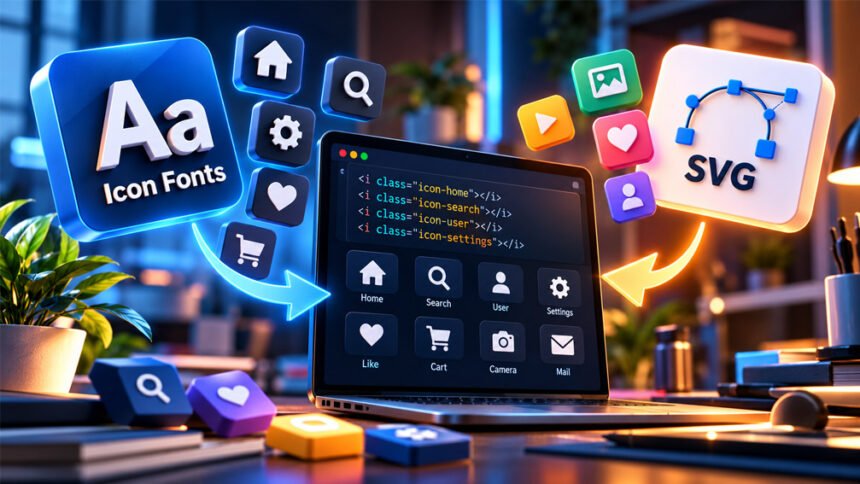
Icon fonts are special fonts that contain icons instead of normal letters and numbers. Websites and apps use them for search icons, arrows, social media logos, menu buttons, and many other symbols.
Icon fonts became popular because they are easy to use and can be styled with CSS. However, SVG icons are also widely used today. This guide explains what icon fonts are, how they work, their uses, benefits, limitations, and how they compare with SVG.
What Are Icon Fonts?
Icon fonts are font files that contain symbols instead of normal letters.
For example, a normal font contains letters such as A, B, and C. An icon font may contain a home icon, search symbol, arrow, social media logo, or settings icon instead.
Browsers treat these icons like text. This means developers can use CSS to change their size, color, spacing, and other styles.
Icon fonts are vector-based. They can be made larger or smaller without becoming pixelated like a small PNG image.
One icon font can contain many symbols. These may include navigation icons, social logos, file icons, form controls, arrows, and technology logos.
However, an icon library is not always an icon font. Some libraries use SVG, CSS, or other methods instead of fonts.
History of Icon Fonts
Early websites often used small image files for icons. These images were used for menus, links, buttons, and navigation.
Using many separate images could create extra requests. Developers later started using methods such as CSS sprites. A CSS sprite puts several graphics into one image file and shows only the required part.
Icon fonts became popular in the early 2010s. They allowed developers to keep many icons inside one font file.
Developers could also resize and style these icons with CSS. Libraries such as Font Awesome helped make icon fonts popular.
Later, SVG became a common alternative. SVG gives developers more control over colors, shapes, and animations.
Icon fonts are still used today, especially on older websites and projects already built around them. However, many new websites now use SVG icons.
How Do Icon Fonts Work?
Icon fonts work in a similar way to normal webfonts.
Each icon is stored as a glyph inside the font. Instead of showing a normal letter, a character or code point displays an icon.
For example, one code point could show a search icon, while another could show a home or user icon.
The website first loads the font file. CSS then tells the browser which font and icon to display.
Developers usually do not need to remember special character codes. Most icon libraries provide CSS classes that make choosing an icon easier.
Icons can be placed inside HTML elements such as <i> or <span>. Some systems also use the CSS ::before pseudo-element.
Icon fonts may use webfont formats such as WOFF and WOFF2.
After the font downloads, the browser can normally cache it. This means it may not need to download the same file again on another page.
However, loading can sometimes cause problems. If the font is slow to load, icons may appear late. If it fails to load, users may see an empty box, a wrong character, or no icon.
How to Use Icon Fonts on a Website
The exact steps depend on the icon library.
First, developers need to add the icon library to their website. They may download the files, install a package, or use a hosted service if one is available.
The required CSS and font files must then be loaded correctly.
Next, the developer chooses an icon and adds its class or glyph to the HTML. Most libraries provide documentation with the correct code for each icon.
CSS can then be used to change the icon’s appearance, including:
- Size
- Color
- Spacing
- Alignment
- Opacity
- Shadow
Always check the documentation for the version you are using. Classes and setup methods can change between versions.
Common Uses of Icon Fonts
Icon fonts are mainly used for small symbols in website and app interfaces.
They are commonly used in navigation menus. Examples include home, menu, previous, next, and dropdown icons.
Buttons can also contain icons. A search button may use a magnifying glass, while settings may use a gear symbol.
Forms may use icons for email, passwords, calendars, warnings, and other controls.
Dashboards can use them for notifications, charts, downloads, files, and user accounts.
Some libraries also provide social media, software, and technology logos.
Icons should not always replace words. If an icon may be difficult to understand, adding a clear text label can help users.
Popular Icon Fonts and Icon Libraries
Many icon libraries are available for websites and applications. However, they do not all use the same technology.
Font Awesome
Font Awesome is one of the most widely known icon libraries.
Older versions became popular for providing many icons through an icon font. Developers could easily add symbols to websites and style them with CSS.
Modern Font Awesome is not limited to icon fonts. It also supports SVG and other ways of adding icons.
For this reason, Font Awesome is better described as an icon library rather than only an icon font.
Line Awesome
Line Awesome provides simple line-style icons.
It was designed as an alternative for projects familiar with Font Awesome-style icons.
It includes icons for navigation, brands, medical topics, charts, forms, transportation, text editing, and other interface needs.
Devicons
Devicons mainly focuses on programming and technology.
It includes icons related to programming languages, development tools, platforms, and other technologies.
The project was created by Theodore Vorillas. The supplied information describes it as an open-source project under the MIT license.
It can be useful for developer portfolios, technology websites, and software documentation.
Material Design Icons
Material Design Icons provides a large collection of icons inspired by Material Design.
It includes icons for navigation, devices, communication, accounts, files, actions, and many other interface needs.
The library is available through different formats and should not be viewed only as an icon font.
Ionicons
Ionicons is an open-source icon library connected with the Ionic ecosystem.
It was created for application interfaces and has been used for web, mobile, and desktop projects.
Modern Ionicons mainly uses SVG and components instead of working only as a traditional icon font.
Genericons
Genericons is a general-purpose icon collection.
It has been used for blogs and simple websites that need common interface and social icons.
Its simple design makes it suitable for basic website controls.
StackIcons
StackIcons focuses mainly on social icons.
It also offered different button shapes and options for creating multi-color designs.
Parker Bennett created the Stackicons-Social font and its Sass-based tools as an open-source project.
Icon Libraries That Are Not Really Icon Fonts
Some lists of icon fonts include libraries that do not actually use fonts.
An icon font uses font glyphs. An icon library is a wider term and may include SVG, CSS, or other technologies.
Feather Icons
Feather Icons is an open-source collection of simple icons.
The icons are designed on a 24 × 24 grid with a focus on simple and consistent designs.
Feather mainly uses SVG files. It does not require a traditional icon font.
Octicons
Octicons is an icon library associated with GitHub.
It provides icons for interfaces and development-related products.
Modern Octicons is mainly associated with SVG-based icons rather than traditional webfonts.
Icono
Icono uses a different method.
It creates icons with CSS instead of using a traditional font or SVG collection.
Developers should check how an icon library works before adding it to their website. Font, SVG, and CSS icons have different setup and styling methods.
Benefits of Icon Fonts
Icon fonts are easy to use once their files and CSS are properly added to a website.
They are scalable. Developers can make an icon larger or smaller without the normal pixelation of raster images.
They are also easy to style. CSS can change their size, color, spacing, and other basic properties.
One font file can contain many icons. The browser can also cache the font after downloading it.
Icon fonts have been supported by web browsers for many years. This made them useful for projects that needed icons to work across many browsers and devices.
However, these benefits depend on how the font is used. A large font containing many unused icons may not be efficient.
Limitations of Icon Fonts
Icon fonts also have some disadvantages.
A large library may contain many icons that a website never uses. The browser may still need to download the full font file.
Loading can also cause problems. If the font is slow or fails to load, icons may disappear or show as empty boxes.
Icon fonts also have less design control than SVG. Creating detailed or multi-color icons can be difficult.
Rendering may look slightly different between browsers, operating systems, and screens because the icons are treated like text.
Positioning can also require extra CSS. Developers may need to adjust line height, vertical alignment, width, or spacing.
Accessibility needs special care as well. Screen readers may not understand what a font glyph means unless the website is set up correctly.
These limitations are some of the reasons SVG icons have become popular.
Icon Fonts and Website Performance
Icon fonts can perform well when they are used correctly.
A browser can cache the font file after downloading it. This can help when the same icons are used on many pages.
However, loading a large font just to use a few icons can waste data. In this case, using a few small SVG icons may be more efficient.
Icon fonts also require the font file to load. A slow request can make icons appear late.
Developers can reduce the font size by creating a custom font that contains only the icons they need.
There is no rule that icon fonts are always faster or slower than SVG. Performance depends on file size, caching, the number of icons, and how the website is built.
Accessibility of Icon Fonts
Accessibility is important when using icon fonts.
A screen reader may not understand a visual icon in the same way as a person looking at the screen. It may read a strange character or give no useful information.
Decorative icons usually do not need to be read by screen readers. They should be hidden from assistive technology when they do not provide useful meaning.
Important icons need clear labels.
For example, a magnifying glass used as a search button should have an accessible name such as “Search.”
Developers should also avoid using only color to show important information. A warning icon may need text beside it to explain the warning.
Testing with screen readers and keyboard navigation can help find accessibility problems.
Icon Fonts vs SVG Icons
SVG stands for Scalable Vector Graphics. Both SVG and icon fonts can create scalable icons, but they work differently.
Icon fonts treat icons like text characters. SVG treats them as graphics.
SVG gives developers more design control. Different parts of an SVG can have different colors, strokes, and styles.
SVG also works well for animations and more detailed graphics.
Icon fonts can be convenient when a website uses many simple, single-color icons from the same font.
Performance depends on how each method is used. A large icon font can contain many unused icons. Inline SVG can increase HTML size if large SVG code is repeated many times.
External SVG files can also be cached.
SVG often provides easier control over accessibility and positioning. Icon fonts may require extra CSS because browsers treat them like text.
For new projects that need multiple colors, custom designs, animation, or more control, SVG is often a better choice.
When Should You Use Icon Fonts?
Icon fonts can still be useful for websites and apps that already use them.
There may be little reason to replace a working icon font if it loads quickly, looks correct, and is accessible.
They can also work well for simple, single-color icons.
A custom icon font can be useful when the same group of icons is used across many pages. Developers can include only the symbols they need.
Some older frameworks and design systems also depend on icon fonts. Keeping the existing system may be easier than replacing every icon.
When Should You Use SVG Instead?
SVG is a good option for many modern websites and applications.
It works well when icons need multiple colors or detailed styling. Developers can control separate parts of an SVG more easily.
SVG is also useful for custom icons and animations.
If a website needs only a few icons, using individual SVG files may be better than loading a large font library.
SVG can also make accessibility easier to manage when it is implemented correctly.
The best choice depends on the project’s design, number of icons, accessibility needs, performance, and existing technology.
Best Practices for Using Icon Fonts
Follow these simple practices when using icon fonts:
- Load only the icons you need when possible.
- Avoid using a large library for only one or two icons.
- Keep icon sizes and styles consistent.
- Make sure font files and paths work correctly.
- Add accessible names to important icon buttons.
- Hide decorative icons from screen readers when needed.
- Add text when an icon may be difficult to understand.
- Test icons on different devices and screen sizes.
- Check loading on slower internet connections.
- Check the library’s license before commercial use.
- Be careful when updating to a new library version.
A custom icon font can also help reduce file size by removing unused glyphs.
Common Icon Font Problems and Fixes
Icons Are Not Showing
Check whether the CSS and font files are loading correctly.
Also check the file paths and make sure you are using classes from the correct version of the icon library.
Squares or Empty Boxes Appear
This often means the browser cannot find the correct icon glyph.
Check the font family, font files, CSS rules, character mapping, and library version.
The Wrong Icon Appears
This can happen when the website uses code from a different version of the icon library.
Check the documentation for the exact version installed on your website.
Icons Are Misaligned
Icon fonts behave like text, so text layout settings can affect their position.
Check line-height, vertical-align, margins, width, and spacing.
Icons Look Blurry or Uneven
Font rendering can look different across browsers, screens, and operating systems.
Try another icon size. If you need very precise graphics, consider using SVG.
Icons Appear Late
The font file may be loading slowly.
A smaller font file, better caching, or a custom icon subset may help. SVG may also be useful if you only need a few icons.
Screen Readers Read Unwanted Characters
Hide decorative icons from screen readers when appropriate.
Important icon buttons should have clear accessible names or visible text.
The Icon Font File Is Too Large
The library may contain many icons you do not use.
Use a smaller custom font or a subsetting tool if available. If you only need a few icons, SVG may be simpler.
Tools for Creating and Managing Icons
Several tools can help developers create and manage icons.
IcoMoon can be used to build custom icon sets. Developers can choose only the icons they need instead of loading a complete library.
This can help create smaller icon fonts.
For SVG icons, Adobe Illustrator can create and export vector graphics.
Inkscape is another option. It is an open-source vector graphics editor that can export SVG files.
SVG files may contain extra data after they are exported. Tools such as SVGO can remove unnecessary information and make the files smaller.
The best tool depends on whether the project uses icon fonts, SVG, or another icon format.
Are Icon Fonts Still Useful?
Yes. Icon fonts are still useful for some websites and applications.
They can work well for older projects that already use them and for simple, single-color interface icons.
However, SVG gives developers more control over colors, shapes, animations, positioning, and accessibility.
This does not mean every website should replace its icon fonts. If the current system works well and is accessible, replacing it may not be necessary.
For a new website, developers should compare both options before choosing.
Bottom Line
Icon fonts store icons as font glyphs. They became popular because they make it easy to add scalable icons and style them with CSS.
Their main benefits are simple styling, scalability, browser support, and easy use.
However, they also have limitations. Large fonts can contain unused icons, loading problems can make icons disappear, and accessibility requires extra care.
SVG is now a common alternative because it gives developers more control over graphics, colors, animation, and accessibility.
Icon fonts are still useful. The best option depends on what the website or application needs.
Frequently Asked Questions
What is an icon font?
An icon font is a font that contains icons instead of letters. It is often used for buttons, menus, arrows, and social icons.
How do icon fonts work?
Icon fonts store icons inside a font file. HTML and CSS tell the browser which icon to show.
Are icon fonts still used?
Yes, icon fonts are still used on many websites. However, SVG icons are also very popular today.
Are icon fonts better than SVG?
It depends on your needs. Icon fonts are simple, while SVG gives you more control over design and colors.
Is Font Awesome an icon font?
Yes, Font Awesome is well known for its font-based icons. Modern versions also support SVG icons.
Can I change the color and size of an icon font?
Yes. You can easily change the size and color of icon fonts using CSS.
Why are my icon fonts not showing?
The font file may be missing or the file path may be wrong. Incorrect CSS or icon classes can also cause this problem.
Are icon fonts accessible?
Yes, but they need to be set up correctly. Important icons should have clear labels for screen readers.
More To Explore:
Invisible Unicode: Uses, Benefits, Problems, and Security Risks