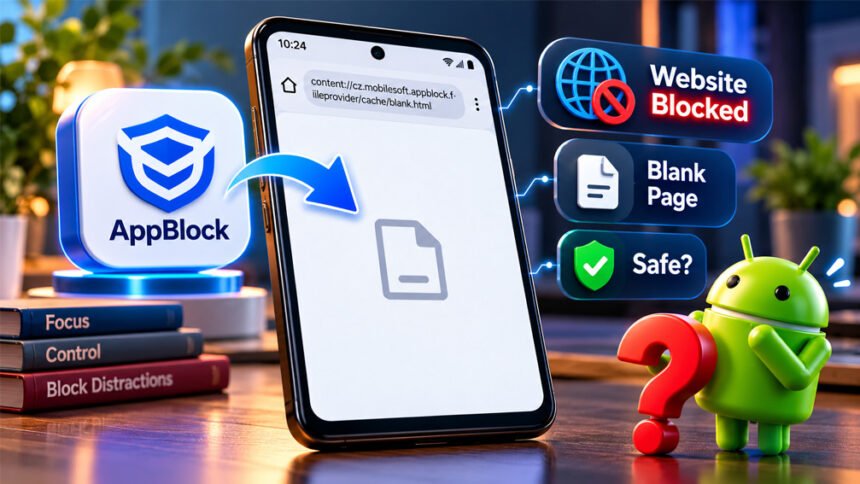
content://cz.mobilesoft.appblock.fileprovider/cache/blank.html is an Android address linked to the AppBlock app. You may see it when AppBlock blocks a website and shows a blank page instead.
This address may look strange, but it is not a normal website link. This guide explains what it means, why it appears, whether it is safe, and what you can do if you see it unexpectedly.
What Is content://cz.mobilesoft.appblock.fileprovider/cache/blank.html?
content://cz.mobilesoft.appblock.fileprovider/cache/blank.html is an Android content URI connected to AppBlock. It points to an HTML resource that the app can make available through Android.
It is not a normal internet address. Normal websites usually start with http:// or https://. This address starts with content://, which Android uses for content managed by apps.
The cz.mobilesoft.appblock part matches AppBlock’s Android package ID. This shows that the address is related to AppBlock.
The address may appear when AppBlock blocks a website and shows a local blank page instead.
However, AppBlock does not publicly explain exactly how blank.html is used in every version of the app. It appears to work as a local placeholder, but its exact internal use is not officially explained.
Breaking Down the Address
The address is easier to understand when we divide it into three parts.
content://
content:// tells Android that the content comes through an app’s content provider. It does not mean that your browser is opening a normal website.
Android keeps app files private. Sometimes, one app needs to share a specific file or resource with another app.
Android’s FileProvider system can do this safely. It lets an app provide access to a selected resource without showing its full storage location.
This is also why copying a content:// address into another browser or device may not work.
cz.mobilesoft.appblock.fileprovider
This part identifies the content provider.
cz.mobilesoft.appblock matches the Android package ID for AppBlock. The fileprovider part shows that the address is related to Android’s file-sharing system.
The provider name and package ID are not exactly the same technical thing. However, this address clearly points to an AppBlock-related provider.
/cache/blank.html
The final part is /cache/blank.html.
blank.html is the name of an HTML resource. It appears to work as a blank or placeholder page when web content is blocked.
The word cache does not always show the exact folder where the file is stored. Android apps can use different names for FileProvider paths.
What Is AppBlock?
AppBlock is an app that helps people limit distracting apps and websites. It can be used to reduce screen time and stay focused during work, study, or sleep.
AppBlock can block apps, websites, specific URLs, and words. Users can also create schedules that automatically start restrictions at certain times.
Quick Block lets users quickly start a block. Allowlist Mode can let selected content remain available while other content is restricted.
AppBlock also has Strict Mode. This feature can make it harder to change or turn off active restrictions. Depending on the settings, it may also make uninstalling AppBlock harder.
The app can also provide usage limits and reports about app or website use. Other features include adult-content blocking.
On Android, website blocking can require Accessibility permission. This lets AppBlock detect activity in supported browsers and apply the user’s blocking rules.
Why Does This Blank Page Appear?
The most common reason is that an AppBlock rule has been activated.
For example, you may try to open a blocked website. Instead of opening the website, the browser may show the local blank.html page.
The exact website does not always need to be on your blocklist. A broad domain rule may block several pages on the same website.
A keyword rule can also cause a block. If a URL contains a blocked word, AppBlock may restrict the page.
Schedules are another possible reason. A website may work during the day but become blocked when a scheduled profile starts.
Different AppBlock profiles can also overlap. A website may be allowed in one profile but blocked by another active rule.
The browser itself may also be blocked. For example, a website may be allowed, but Chrome may be restricted. In that case, opening the website in Chrome may still fail.
The exact behavior can change depending on your browser, Android version, AppBlock version, and settings.
Where You Might See the URI
You may see this URI in your browser address bar after trying to open a blocked website.
It may also appear in your browser history. Your browser can save the blank page address after AppBlock blocks a website.
An old history entry does not mean the website is still being blocked. It may simply be a record of an earlier block.
The address can also appear in an old browser tab, app logs, crash reports, debugging information, or WebView-related activity.
The place where you see the URI can help explain why it appeared.
Is content://cz.mobilesoft.appblock.fileprovider/cache/blank.html Safe?
In most normal cases, the URI itself is not dangerous.
It is not a public website. If you installed the official AppBlock app and the address appears when AppBlock blocks something, it is usually normal behavior.
However, the address cannot prove that your whole phone is safe.
If you see it unexpectedly, check whether AppBlock is installed and whether a blocking rule is active. You should also make sure the app came from an official source.
Check your phone more carefully if you do not recognize AppBlock or if strange redirects continue when no block should be active.
Unknown apps, unusual Accessibility access, unexpected administrator permissions, repeated pop-ups, or frequent crashes may also need further checking.
The URI alone does not mean your phone has been hacked or infected with malware.
Does It Mean AppBlock Is Tracking Your Browsing?
The URI alone does not tell you whether AppBlock is tracking or sending your browsing information.
AppBlock needs to detect some browser activity to know when it should block a website. Accessibility permission can help it do this on Android.
Some AppBlock features may also collect website usage statistics when those features are enabled.
Detecting a website for blocking is different from recording usage information. Recording usage information is also different from sending that information somewhere else.
If privacy is important to you, check AppBlock’s current privacy information and Google Play Data Safety details. You can also review the permissions given to the app.
Is It the Same as about:blank?
No. They are different.
about:blank is a blank page created by the browser itself.
content://cz.mobilesoft.appblock.fileprovider/cache/blank.html is an Android content URI linked to AppBlock.
Both can show an empty page, but they work differently and can appear for different reasons.
How to Fix the AppBlock Blank Page
If the blank page appears on a website that should work, first check your AppBlock settings.
Do not immediately uninstall AppBlock or reset your phone. A simple blocking rule may be causing the problem.
Check Active AppBlock Rules
Open AppBlock and check Quick Block, schedules, and active profiles.
Look for the website that is not opening. If it was blocked by mistake, change or remove the related rule.
After changing it, open a new browser tab and try the website again.
Check URL and Keyword Rules
A broad URL or keyword rule can sometimes block more pages than expected.
Check whether the website address contains a word you have blocked. Also check whether an entire domain has been restricted.
Change only the rule causing the problem.
Check Allowlist Mode and Other Active Profiles
More than one AppBlock profile can be active.
A website may be allowed by one setting but blocked by another. Check all active schedules and profiles if the problem continues.
Check Strict Mode
Strict Mode can stop you from easily changing AppBlock settings.
Depending on your setup, you may need a PIN, timer, cooldown, charger condition, or approval from another person.
If your phone is managed by a parent, school, or workplace, contact the person responsible for the restrictions instead of trying to bypass them.
Test the Original Website Again
Do not keep refreshing the content:// page.
Close the tab and open a new one. Type the original website address again.
You can also compare opening the website directly with opening it through a search result or another app.
Restart the Browser or Phone
Close and reopen your browser after changing an AppBlock rule.
If the problem continues, restart your phone and try the website again.
Restarting your phone will not remove an active blocking rule.
Update AppBlock and the Browser
Check for updates for AppBlock and your browser.
Updates may fix bugs or compatibility problems. Also check whether AppBlock says that an important permission is missing.
Do not turn off every AppBlock permission just to test the problem. Some permissions are needed for blocking features to work.
Clear AppBlock Cache
If the settings are correct but the blank page keeps appearing, you can try clearing AppBlock’s cache.
On many Android phones, go to:
Settings → Apps → AppBlock → Storage or Storage & cache → Clear cache
Menu names may be slightly different on your phone.
Do not select Clear storage or Clear data unless you understand the result. These options can remove saved app information and settings.
Clearing the cache also does not remove blocking rules. If a rule is still active, the blank page may appear again.
Clear Cache vs Clear Data vs Changing the Block
These options do different things.
| Action | What It Does | Important Point |
|---|---|---|
| Change a blocking rule | Changes what AppBlock blocks | Best for a website blocked by mistake |
| Pause a schedule | Temporarily stops a schedule | Other rules may still work |
| Clear cache | Removes temporary data | Does not remove blocking rules |
| Clear storage/data | Removes locally stored app data | You may lose settings |
| Delete browser history | Removes the saved history entry | Does not change AppBlock |
| Uninstall AppBlock | Removes the app | Blocking features will stop |
If only one website is being blocked by mistake, changing its blocking rule is usually the best option.
Clearing the cache may help when temporary app data is causing a problem.
Clearing all app data is a bigger change and may remove your settings.
Can You Delete blank.html?
You normally do not need to delete blank.html yourself.
Android and AppBlock manage this type of temporary resource. Trying to manually change private app files is unnecessary.
If temporary data is causing a problem, use Android’s Clear cache option instead.
The file or resource may appear again the next time AppBlock blocks a website. If you want to allow a website, change the blocking rule instead.
What If You Don’t Have AppBlock?
An old URI in your browser history does not prove AppBlock is still installed.
If you keep seeing new redirects but do not recognize AppBlock, check the apps installed on your phone. Also check your work profile if your phone has one.
Your device may also be managed by a parent, school, employer, or another administrator.
If you still cannot find the cause, check Accessibility services, device administrator apps, recently installed apps, and active VPNs.
You can also use Google Play Protect to check installed apps for possible security problems.
Do not factory-reset your phone just because you see this URI.
Why the URI May Not Open on Another Device
This content:// address is not a normal internet link.
It depends on resources stored on the original Android device. It may also depend on AppBlock and Android permissions.
For this reason, copying the URI to another phone, computer, or browser usually will not open the page.
Even the original phone may not open an old URI if the temporary resource has already been removed.
This does not mean your internet is broken.
What Not to Do
If you see the AppBlock blank page:
- Do not install unknown cleaner or repair apps.
- Do not factory-reset your phone because of this URI alone.
- Do not clear all AppBlock data without checking your settings first.
- Do not uninstall AppBlock if an intended block is working normally.
- Do not bypass restrictions set by a parent, school, or workplace.
- Do not assume an old history entry means you have malware.
- Do not assume
blank.htmlproves your whole device is safe.
First find out why the address appeared. Then choose the right solution.
When to Contact AppBlock Support
Contact AppBlock support if the problem continues after you check your settings.
Support may help if allowed websites remain blocked, AppBlock works differently across browsers, or you cannot find the rule causing the problem.
Before contacting support, note your phone model, Android version, AppBlock version, browser version, and active blocking settings.
Also explain the steps that cause the blank page to appear.
A screenshot can be useful. Hide private URLs, account information, and other personal details before sharing it.
Bottom Line
content://cz.mobilesoft.appblock.fileprovider/cache/blank.html is an Android content URI connected to AppBlock. It is not a normal website.
It commonly appears when AppBlock restricts web content. Seeing the address alone does not mean your phone has a virus or has been hacked.
If it appears when it should not, check your AppBlock rules, schedules, keywords, profiles, and browser restrictions first.
Clear the cache only if the app seems stuck. If you do not recognize AppBlock and new redirects continue, check your installed apps, permissions, and Android security settings.
Frequently Asked Questions
What is content://cz.mobilesoft.appblock.fileprovider/cache/blank.html?
It is an Android address linked to AppBlock. It may appear when AppBlock blocks a website.
Is content://cz.mobilesoft.appblock.fileprovider/cache/blank.html a virus?
No. This address alone does not mean your phone has a virus or malware.
Why does AppBlock show blank.html instead of a website?
AppBlock may show blank.html when a website or browser is blocked by one of your rules.
Why is blank.html in my browser history?
Your browser may save this address after AppBlock blocks a website. An old entry does not mean the site is still blocked.
Can I delete blank.html?
You usually do not need to delete it. If a site is blocked by mistake, change the AppBlock rule instead.
Will clearing AppBlock’s cache permanently fix it?
No. Clearing the cache removes temporary files, but active blocking rules will still work.
Why can’t I disable or uninstall AppBlock?
Strict Mode may stop you from changing or removing AppBlock. Your device may also be controlled by a parent, school, or workplace.
Can I open the content:// address on another phone or computer?
Usually not. It is a local Android address that normally works only with the original device and app.
More To Explore:
Sodiceram Review: Benefits, Drawbacks, Uses, and Alternatives