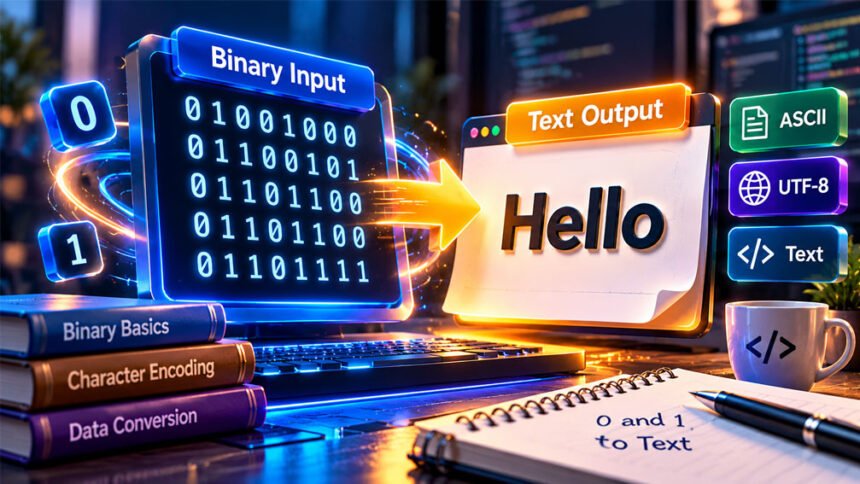
A binary-to-text converter changes binary code into normal, readable text. Binary code uses only two numbers: 0 and 1.
People use these tools to learn how computers work, understand binary messages, and work with programming data.
Sometimes, binary conversion gives the wrong result. This can happen because of missing digits, wrong formatting, or the wrong character encoding.
This guide explains binary to text conversion, ASCII and UTF-8, common errors, useful tips, and different ways to convert binary into text.
What Is Binary to Text Conversion?
Binary-to-text conversion means changing binary numbers into readable letters, numbers, or symbols.
Computers store and process information using binary. Text characters are given number values using systems such as ASCII and UTF-8. These values can then be written in binary.
For example:
01001000 01101001
This binary code represents:
Hi
The first group represents H, and the second represents i.
A binary-to-text converter does this work automatically. You enter the binary code, and the tool changes it into readable text.
However, not every binary code represents text. Images, videos, programs, and other files also contain binary data. Converting this type of data directly into text may give strange or unreadable results.
Binary conversion is also different from decryption. A converter changes the format of data. It does not unlock encrypted information.
How Does Binary to Text Conversion Work?
Binary-to-text conversion uses binary numbers and a character encoding system.
For simple text, binary digits are commonly divided into groups of eight. Each group of eight bits is called a byte.
The converter reads each byte and finds the character it represents.
Understanding Bits and Bytes
A bit is one binary digit. It can be either 0 or 1.
A byte normally contains eight bits.
For example:
01001000
This binary number equals 72 in decimal. In ASCII, 72 represents the letter H.
Converting Binary into Decimal
Each position in an eight-bit binary number has a value:
128 64 32 16 8 4 2 1
Take this binary number:
01001000
The 1 digits are in the positions for 64 and 8.
So:
64 + 8 = 72
In ASCII, decimal 72 represents H.
Online converters perform these calculations automatically.
Converting a Complete Word
Here is a simple example using Hi:
| Character | Binary | Decimal |
|---|---|---|
| H | 01001000 | 72 |
| i | 01101001 | 105 |
When both binary groups are converted, the result is:
Hi
Basic English characters are simple to convert. Other languages, symbols, and emoji may use more than one byte.
How UTF-8 Handles Different Characters
UTF-8 can represent characters from many languages. It also supports symbols and emoji.
A UTF-8 character can use one to four bytes.
For example, the euro symbol € uses these three bytes:
11100010 10000010 10101100
A UTF-8 converter reads these bytes together and displays €.
This is why using the correct encoding is important.
ASCII vs. UTF-8: What Is the Difference?
ASCII and UTF-8 are systems used to represent text as numbers.
What Is ASCII?
ASCII stands for American Standard Code for Information Interchange.
Standard ASCII uses seven bits and contains 128 values. It covers basic English letters, numbers, punctuation marks, and some control characters.
For example:
A= 65B= 66H= 72
The letter A can be shown as:
01000001
ASCII works well for basic English text. However, it does not support most international characters or modern emoji.
What Is UTF-8?
UTF-8 supports a much larger range of characters.
It can represent English text, international languages, symbols, and emoji. A character can use between one and four bytes.
Basic English ASCII characters have the same values in UTF-8. Other characters may need more bytes.
ASCII vs. UTF-8 Comparison
| Feature | ASCII | UTF-8 |
|---|---|---|
| Character range | 128 standard values | Much larger |
| Character size | 7 bits in standard ASCII | 1 to 4 bytes |
| English letters | Yes | Yes |
| International languages | Very limited | Yes |
| Emoji | No | Yes |
| Common use | Basic text and learning | Modern digital text |
For basic English text, ASCII is often enough. For international languages, symbols, and emoji, UTF-8 is usually more useful.
How to Convert Binary to Text
You can convert binary manually or use an online tool.
Manual conversion is useful for learning. Online tools are faster when you have a long binary string.
Manual Conversion
Here is a simple example:
01001000 01101001
Step 1: Check the binary code
Make sure it contains 0 and 1. Spaces may be used to separate groups.
Step 2: Separate the bytes
Divide the example into eight-bit groups:
0100100001101001
Step 3: Convert them to decimal
01001000 = 72
01101001 = 105
Step 4: Find the characters
Using ASCII:
72 = H
105 = i
Step 5: Read the text
The final result is:
Hi
Do not add or remove digits just to make the groups fit. First check whether the original binary code is complete.
Using an Online Binary to Text Converter
An online converter makes the process easier.
The basic steps are:
- Open a binary-to-text converter.
- Enter or paste your binary code.
- Select an encoding if needed.
- Start the conversion.
- Check and copy the result.
Some tools also support text-to-binary conversion, file uploads, downloads, hexadecimal, decimal, and other formats.
Do not enter passwords or private information into a website you do not trust.
Common Binary to Text Errors and How to Fix Them
Binary conversion can fail for several simple reasons.
Invalid Binary Digits
Binary uses only 0 and 1. Other characters can cause an error.
Fix: Check your binary code and remove any incorrect characters.
Incorrect Grouping of Bits
Basic text examples often use groups of eight bits. Missing or extra bits can change the result.
Fix: Check the original binary data and make sure the groups are correct.
Wrong Character Encoding
Correct binary data can still show strange text if you use the wrong encoding.
Fix: Check whether the original text uses ASCII, UTF-8, or another encoding. Use the same encoding when converting it.
Missing or Extra Zeros
Adding or removing even one digit can change a binary value.
Fix: Compare the binary code with the original source. Do not add or remove zeros unless you know they are incorrect.
Strange Characters
Strange characters can appear when the encoding is wrong or the binary data does not represent normal text.
Fix: Check the source of the data and its encoding. The binary may represent an image, program, compressed file, or encrypted data instead of text.
Incomplete Binary Input
Missing bits can stop the binary code from converting correctly.
Fix: Get the complete binary code from the original source. Avoid guessing the missing digits.
Tips for Accurate Binary to Text Conversion
A few simple tips can help you get better results:
- Check the binary code before converting it.
- Use the correct character encoding.
- Keep a copy of the original binary data.
- Use spaces between bytes when the tool supports them.
- Check the input again if the output looks strange.
- Use a trusted online converter.
- Never enter private information into unknown websites.
Online tools are useful for long binary strings. Manual conversion is better when you want to learn how binary works.
Common Uses of Binary to Text Converters
Binary converters are useful for learning, programming, and working with digital data.
Learning Computer Science
Students can use binary converters to understand how computers represent letters and numbers.
They can enter different binary values and see which characters they represent.
Programming and Software Development
Developers may use binary conversion when checking data, debugging programs, or learning how software stores information.
It can also help when working with certain data formats and communication systems.
Networking and Data Analysis
Some network data may contain text stored as bytes.
A binary converter can help read this information when you know the correct data format and encoding.
However, not all network data contains readable text.
Cybersecurity Learning
Students and security researchers may use binary conversion when studying data or learning how computers store information.
A normal binary converter does not decrypt protected information.
Digital Electronics
Binary is important in digital electronics, microcontrollers, and computer systems.
Binary converters can help students understand how binary values connect to readable characters.
Features of Online Binary to Text Converters
Different online converters offer different features.
Automatic Conversion
Some tools convert binary while you type. Other tools have a button you need to click.
Text to Binary Conversion
Many tools work in both directions. They can convert binary to text and text back to binary.
Multiple Number Formats
Some converters also support decimal, hexadecimal, and octal numbers.
These options can be useful for students and developers.
Copy and Download Options
Some tools let you copy the converted text or download the result as a file.
This is useful when working with longer data.
File Upload Support
Some websites allow you to upload files instead of pasting the binary code manually.
Supported file types and limits depend on the tool.
Privacy and Data Protection
Some tools process your data inside your browser. Others may send the information to their servers.
Check the privacy policy before using an online converter for private or important data.
Benefits and Limitations of Binary to Text Conversion
Binary-to-text converters can save time, but they cannot solve every type of binary data.
Benefits
- Fast and simple conversion.
- Helpful for learning binary.
- Saves time compared with manual calculations.
- Many online tools are free.
- Usually works without installing software.
- Some tools support both binary and text conversion.
Limitations
- Wrong encoding can give incorrect results.
- Missing bits can cause errors.
- Not all binary data represents text.
- A normal converter cannot decrypt encrypted information.
- Online tools may process your data on their servers.
- Features can differ between websites.
A converter works best when you know the format and encoding of the original data.
Alternatives to Online Binary to Text Converters
You do not have to use an online tool. There are other ways to convert binary.
Manual Conversion
You can convert binary numbers into decimal values and then match those values with characters.
This method is useful for learning and short examples. It becomes slow when working with large amounts of data.
Programming Languages
Programming languages such as Python can convert binary data into text.
For example:
binary = "01001000 01101001"
data = bytes(int(byte, 2) for byte in binary.split())
text = data.decode("utf-8")
print(text)
The result is:
HiThis method is useful for developers who need to process binary data regularly.
ASCII Tables
An ASCII table shows which number represents each standard ASCII character.
You can use the table to convert short binary values manually. However, ASCII tables do not cover the full range of characters available in UTF-8.
Bottom Line
Binary-to-text conversion changes binary numbers into readable characters.
ASCII works well for basic English characters, while UTF-8 supports many languages, symbols, and emoji.
You can convert binary manually, with an online tool, or with a programming language. If the result looks wrong, check the binary input and character encoding first.
Remember that not all binary data represents text. Images, programs, encrypted information, and other data may not become readable with a simple binary-to-text converter.
Frequently Asked Questions
What is a binary-to-text converter?
It is a tool that changes binary code made of 0 and 1 into readable text.
How do I convert binary to text?
You can convert each binary byte into a number and then match it with a character. An online converter can do this automatically.
Why does binary show strange characters?
The binary code may be incomplete or use a different encoding. Check the input and make sure you are using the correct encoding.
What is the difference between ASCII and UTF-8?
ASCII mainly supports basic English characters. UTF-8 supports many languages, symbols, and emoji.
Can I convert binary to text without an online tool?
Yes. You can convert it manually or use a programming language such as Python.
Can a binary-to-text converter decrypt data?
No. It only changes the way data is shown. Encrypted data needs the correct decryption method and key.
Are online binary converters safe?
They can be safe for normal data, but privacy depends on the website. Avoid entering passwords or private information into unknown tools.
Can all binary code become readable text?
No. Binary can also represent images, programs, videos, compressed files, and other data that will not appear as normal text.
More To Explore: